How Washington Cloud Teams Clean Renewal Ownership Safely
Why Renewal Ownership Matters for Washington Cloud Teams
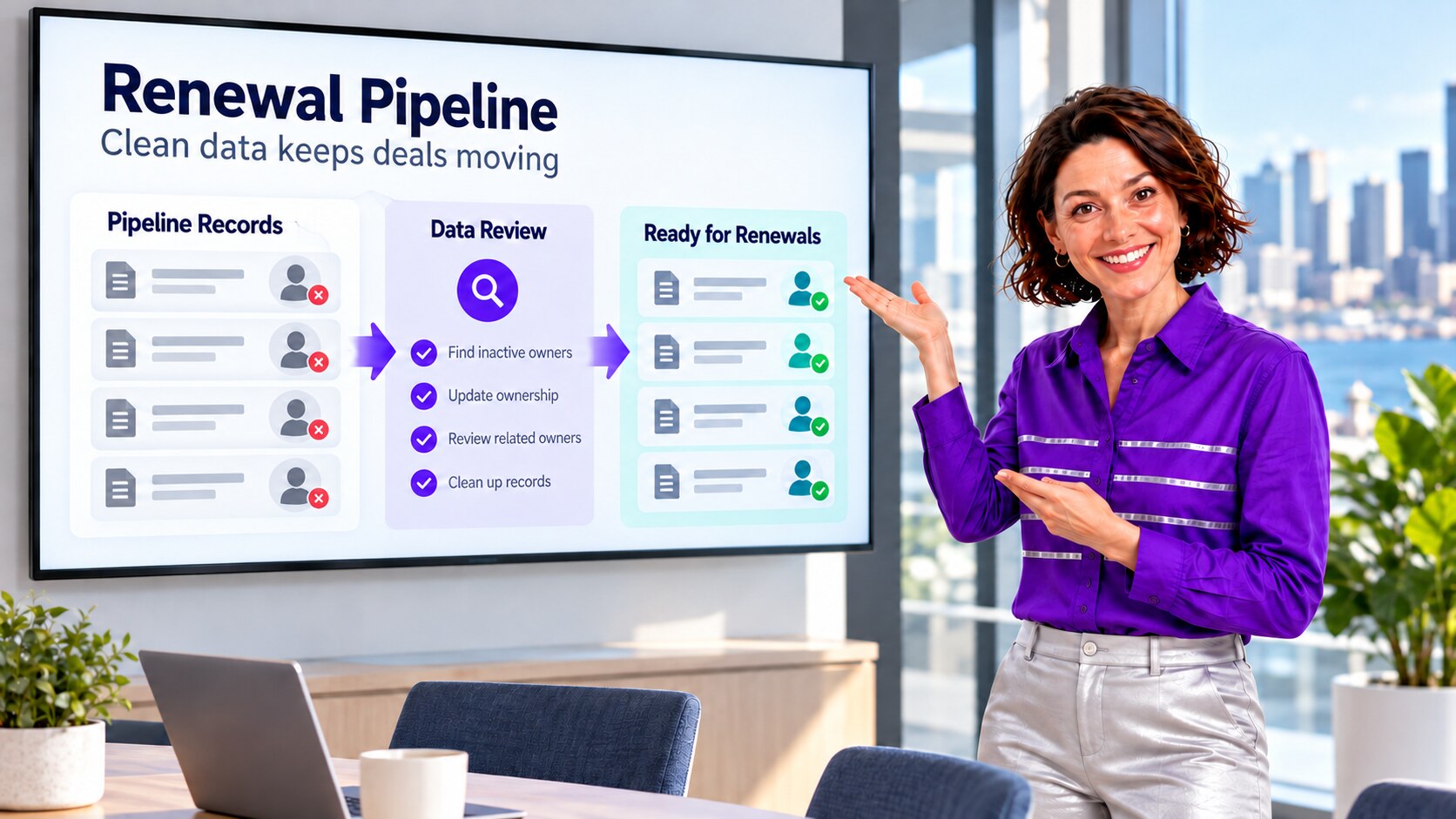
A Seattle-area cloud company reorganizes its customer-success team, but Salesforce renewal Opportunities still belong to inactive users. Account ownership looks current while related renewals and follow-up work remain split, making coverage reports unreliable. This anonymized composite scenario uses an illustrative 15,000-row review to show how an admin can verify the right active owner, update affected records with ZaapIT in controlled batches, and retain backup, bulk undo, and restore where applicable.
Why Washington Cloud Renewal Data Merits Attention
Washington’s Employment Security Department reported in June 2026 that average annual wages in the state’s information sector grew 8.4% in 2025. This broad sector measure is not a cloud-company revenue statistic. The nonprofit Washington Technology Industry Association’s sector outlook identifies cloud computing among the state’s information and communication technology activities. For a cloud provider with recurring contracts, unclear record ownership can hide renewals from the people expected to act on them, even when the customer Account itself looks tidy. The NIST Research Data Framework emphasizes provenance: without a record of where data came from and how it changed, users struggle to judge its reliability. Applied to a Washington cloud team’s renewal handoff, the admin needs the source and effective date of an owner assignment before overwriting the owner on related Opportunities, Cases, or Contacts.
Use Case: Accounts Moved, Renewals Left Behind
After a team reorganization, operations transfers customer Accounts to active customer-success managers. A renewal dashboard still excludes open Opportunities owned by former reps, and some related Contacts and Cases have different owners. A rep filtering “my renewals” does not see the full book of upcoming work. The underlying problem is not duplicate customer identity: it is a mismatched owner map across related Salesforce records.
The admin defines the assignment policy before changing data: each open renewal Opportunity should have an approved active owner based on territory, contract segment, and handoff date. Account ownership is a starting clue, not an instruction to overwrite every child record. Shared accounts, strategic renewals, open Cases, and closed Opportunities can have valid exceptions.
| Record | Check | Decision |
|---|---|---|
| Account | Current active owner and customer-success assignment. | Use as context; do not assume all children should match. |
| Open renewal Opportunity | Inactive owner, close date, contract segment, territory, and handoff approval. | Assign an approved active owner before the renewal window is missed. |
| Contact, Case, or task | Object-specific owner, open status, support queue, and sharing rules. | Review separately; preserve valid specialist ownership. |
| Closed Opportunity | Historical owner and reporting policy. | Preserve history unless a documented business rule requires a change. |

What Salesforce’s Transfer Tools Do and Do Not Do
Salesforce Help explains that its Mass Transfer interface does not cover some objects, including Opportunities, Cases, and Activities; its August 2026 guidance describes using Data Loader for those transfers. Another Salesforce Help article explains why changing an Account owner does not necessarily change all related Opportunity or Contact owners: child records owned by someone else may retain their owner. This is expected behavior, not proof that the original Account transfer failed.
The admin therefore inventories ownership by object and tests the org’s sharing, automation, and integration behavior. A single Account-level action is not a complete renewal handoff plan. ZaapIT’s filtered mass-update workflow can help the admin review and update an approved Opportunity population with a recoverable change history, while other objects receive their own explicit decision.
A Safer 15,000-Row ZaapIT Ownership Runbook
- Save the baseline: export the illustrative 15,000 Account, Opportunity, Contact, and Case review rows with IDs, owner IDs, owner active status, stages, dates, and report totals.
- Filter precisely: isolate open renewal Opportunities with inactive owners; separate closed deals, support queues, and valid specialist-owned records.
- Build the owner map: have revenue operations and customer success approve active owners by segment, territory, and effective date. Flag ambiguous books and shared accounts for manual review.
- Preview and back up: use ZaapIT to inspect selected rows and intended Owner changes before updating. Preserve the prior OwnerId, record IDs, and selection criteria.
- Update controlled batches: change approved open renewals in small batches, monitoring assignment automation, notifications, team access, integrations, and failed rows.
- Validate related records separately: confirm open Cases, Contacts, tasks, and account teams retain the correct owner or queue; do not assume a parent transfer moves everything.
- Reconcile and recover: compare renewal coverage and inactive-owner exceptions with the baseline. Use ZaapIT bulk undo or restore for affected rows where applicable if a mapping is wrong; test downstream and object-specific recovery independently.
Backup, bulk undo, and restore make mass ownership changes safer because a mistaken territory map can be corrected. They do not replace sandbox testing, approval of the owner map, or checking that access, alerts, and customer handoffs behave as intended.

How the Team Verifies Coverage After the Change
The composite team reruns the open-renewal report by active owner, close period, and segment. A reviewer samples transferred Opportunities to confirm the approved owner can see and act on them. Separate exception reports show inactive owners, missing owners, unchanged specialist-owned Cases, and failed rows. The team keeps a dated old-to-new OwnerId crosswalk, batch logs, and restoration test results, then updates the employee-offboarding checklist so future departures trigger an object-by-object ownership review.
- Count open renewal Opportunities with inactive owners before and after each batch.
- Check visibility and follow-up, not only OwnerId field changes.
- Preserve historical and specialist ownership where policy requires it.
- Review related Contacts, Cases, and tasks independently of the Account transfer.
Keep Cloud Renewals Visible and Recoverable
Use ZaapIT to filter, preview, and update approved Salesforce ownership changes in controlled batches with backup, bulk undo, and restore for affected rows where applicable.
Frequently Asked Questions
Does transferring a Salesforce Account reassign every related Opportunity?
No. Salesforce documents that related records owned by a different user can retain their owner. Check Opportunities, Contacts, Cases, and tasks by object rather than assuming the Account transfer finished the handoff.
Why do inactive owners distort renewal coverage reports?
Open renewals assigned to former reps may be absent from active-owner views and handoff queues. The organization should report on owner active status and reconcile all open renewal Opportunities against the approved coverage map.
Should every child record be reassigned to the Account owner?
No. Support Cases, strategic Opportunities, shared Contacts, and historical records may need a different owner or queue. Define and approve rules for each object and exception group.
Can Salesforce’s Mass Transfer interface handle open Opportunities?
Salesforce Help says its Mass Transfer tool does not cover some objects, including Opportunities, and documents Data Loader as one bulk-transfer route. Test permissions, automation, and the selected method in the target org.
What makes a large ZaapIT owner update safer?
Previewing an approved OwnerId map, backing up prior values, processing controlled batches, validating access and reports, and testing bulk undo or restore for affected rows reduces the risk of a bad mass reassignment.
Useful ZaapIT Resources
Sources
- NIST: Research Data Framework on provenance and data reliability
- Washington Employment Security Department: 2025 annual wage estimates, released 2026
- Washington Technology Industry Association: technology-sector reports and publications
- Salesforce Help: Mass transfer of Opportunities, Cases, and Activities
- Salesforce Help: Why related records may retain their owner
- Salesforce Help: Transfer Records