Safely Mass Update 1 Million+ Salesforce Records: Enterprise Bulk Operations Guide
How Can Salesforce Admins Safely Mass Update 1 Million+ Records Without Losing Control?
Updating a few Salesforce records is simple. Updating hundreds of thousands or more can affect owners, territories, statuses, compliance fields, reports, automations, integrations, and customer-facing work. This guide explains how admins can plan, preview, execute, and recover enterprise-scale bulk updates with ZaapIT Mass Update for Salesforce. The unique safe selling point is the recovery path: admins can back up the affected rows first, run the update with confidence, then use bulk undo or restore if the result needs correction.
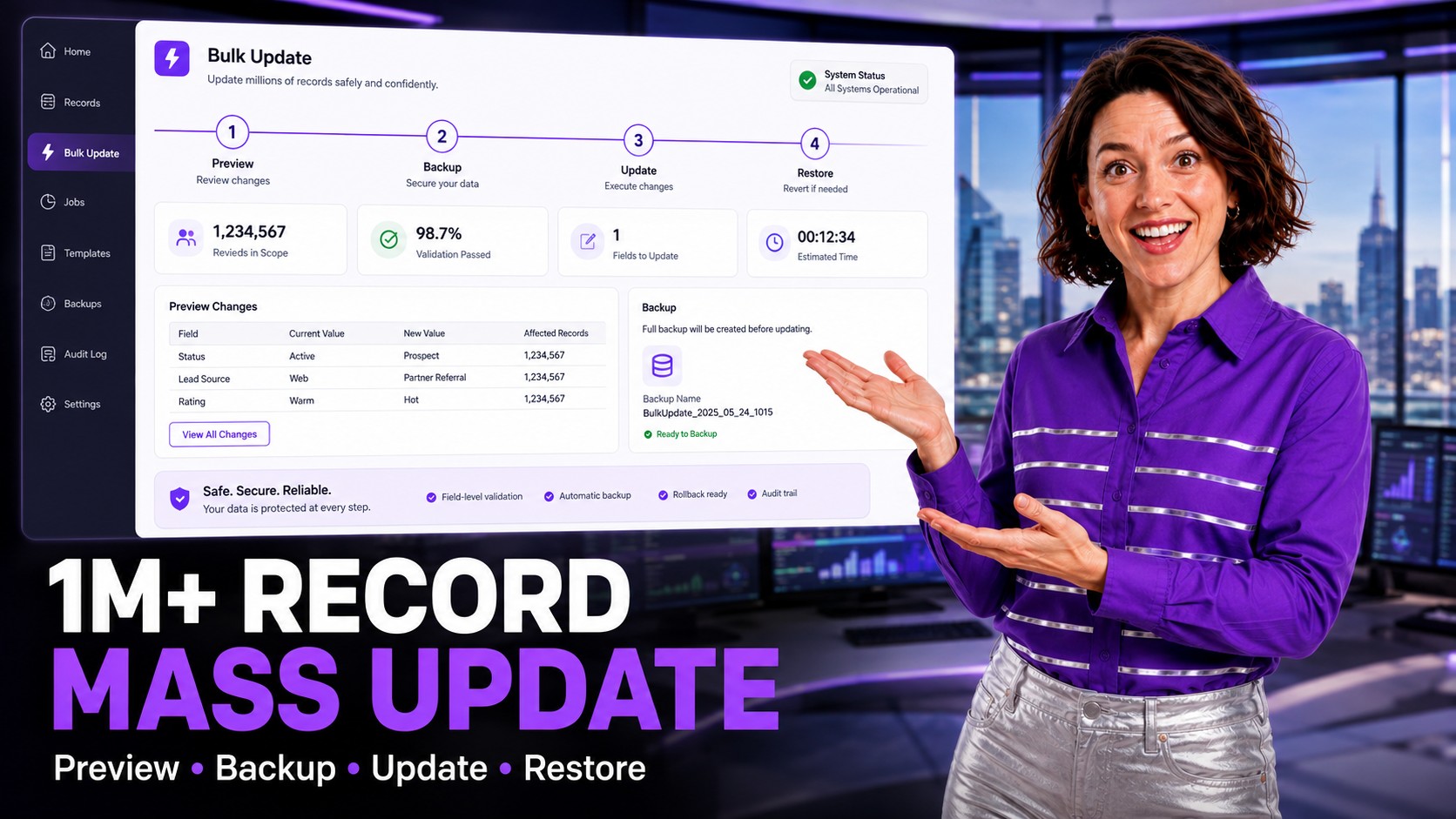
Why 1M+ Salesforce Updates Become Risky
Large updates are rarely just a field change. A new owner can change queues and sharing. A territory update can change forecasts. A status cleanup can change dashboards. A compliance field can affect segmentation and reporting. When the update touches many rows, a small mistake becomes visible very quickly.
Native Salesforce list views are useful for everyday work, but admins often hit page, selection, and workflow limits when the target dataset spans many pages or millions of records. The workaround is usually export, spreadsheet edits, and reimport. That process is slow and easy to misread, especially when formulas, related records, validation rules, or regional data formats are involved.
What ZaapIT Mass Update Adds to Salesforce
ZaapIT Mass Update gives admins a controlled way to filter, review, select, and update large Salesforce datasets from inside Salesforce. Instead of exporting records and hoping the import behaves, admins can work from a Salesforce-native grid, apply precise filters, preview affected rows, update across pages, and keep a recovery path.
- Scale: update very large filtered datasets, including 1M+ record operations when the business process requires it.
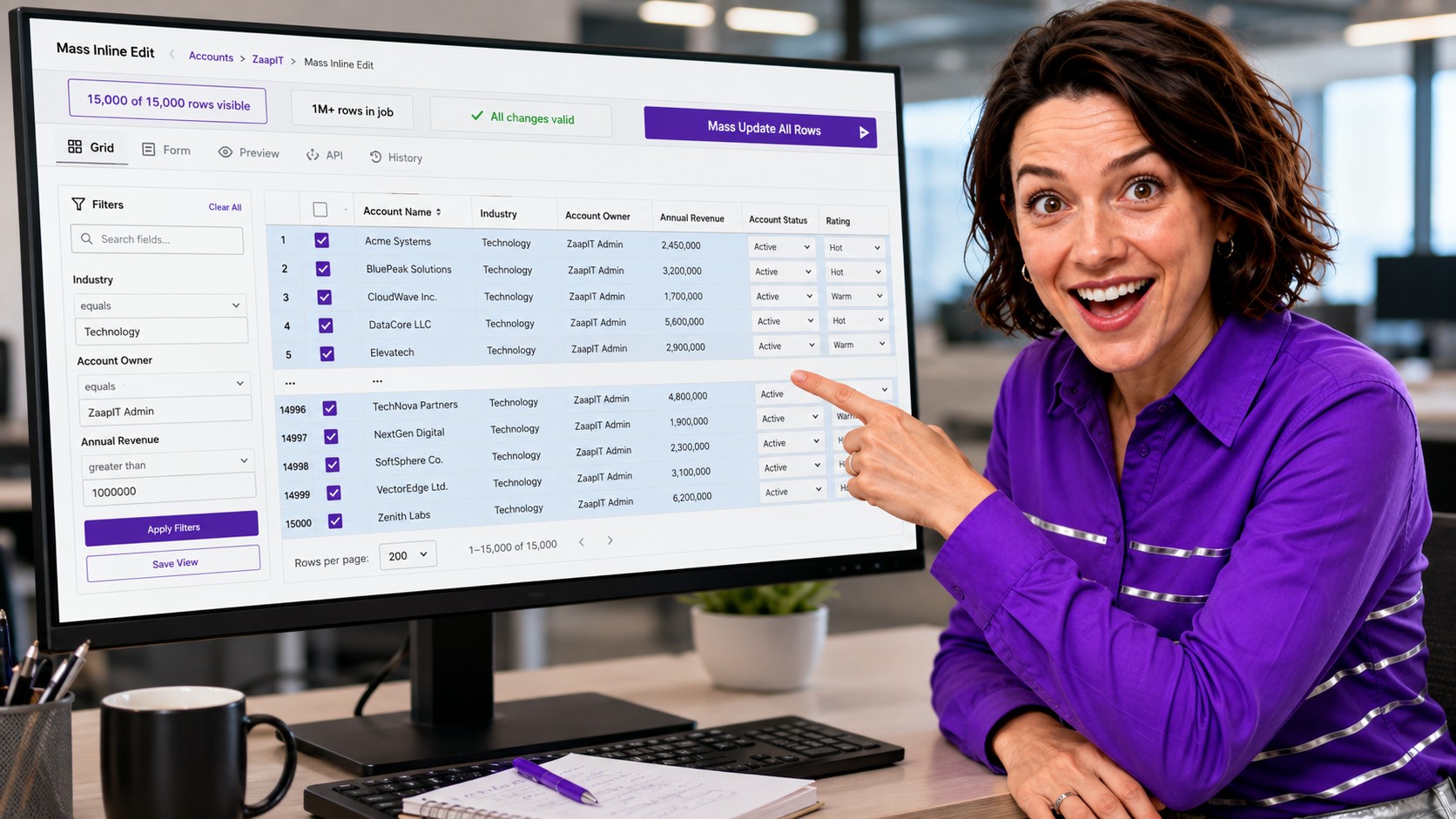
- Visual review: inspect a large grid, including examples such as 15,000 visible rows, before running broader update jobs.
- Field coverage: work with standard fields, custom fields, lookups, picklists, dates, numbers, currency fields, text fields, and checkboxes where Salesforce permissions allow.
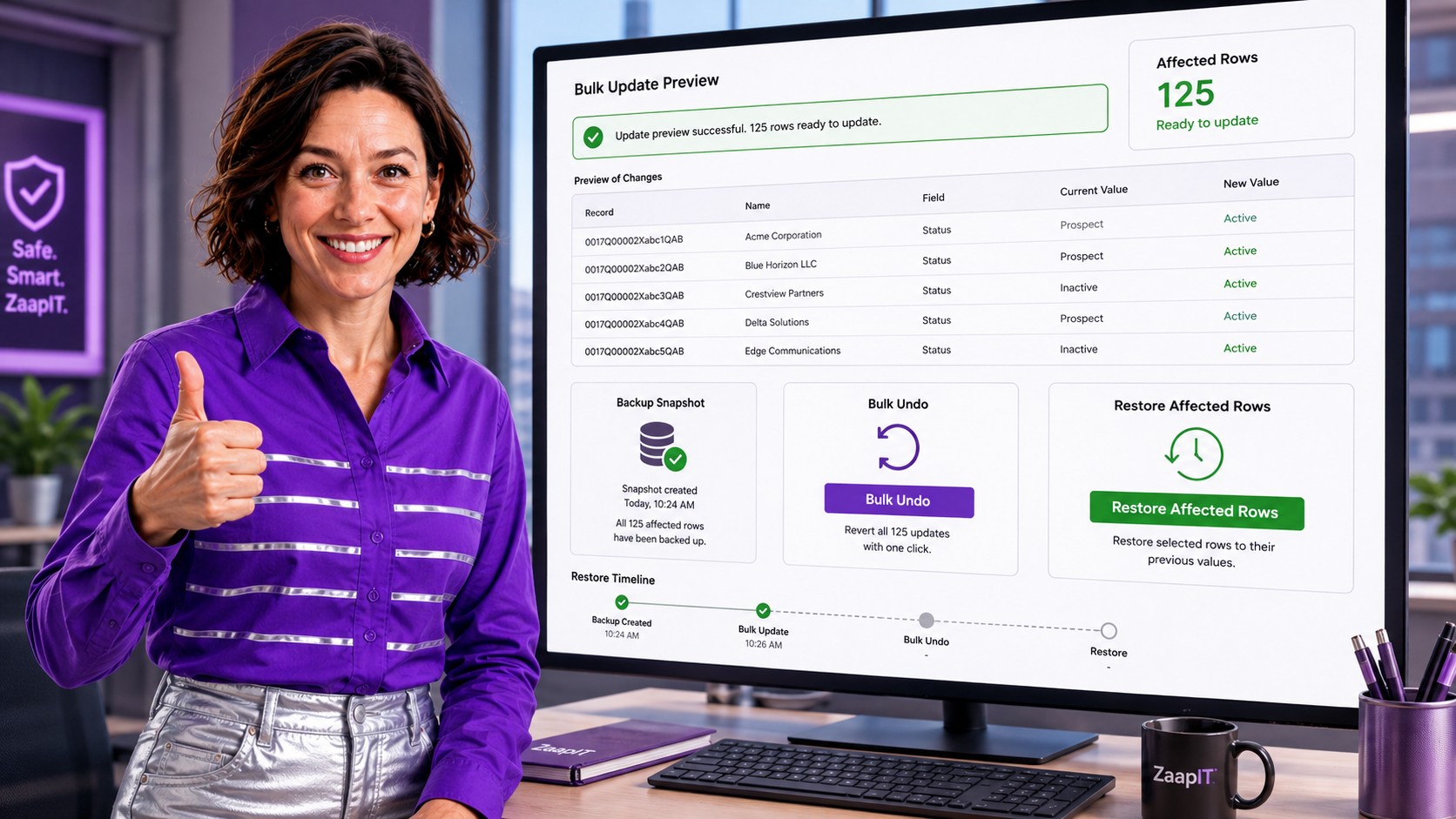
- Unique safe recovery: back up the affected rows before the update, then use bulk undo or restore to reverse the exact rows that changed when an update needs correction.
Enterprise Bulk Update Workflow
A safe enterprise update should behave like an admin playbook, not a one-click gamble. Start by defining the business goal, narrowing the dataset, confirming the field logic, checking ownership and automation impact, previewing records, and keeping a restore path before execution.
1. Filter the exact records
Use filters that match the business rule: geography, created date, record type, owner, stale stage, missing field value, imported batch, product family, or compliance region. The goal is to remove ambiguity before any values change.
2. Preview the change
Admins should see current values and new values before committing. Preview helps catch unexpected blanks, inactive owners, incompatible picklist values, and records that belong to exception groups.
3. Back up affected rows
A backup snapshot is the difference between confidence and panic. If the update needs correction, admins need to know which rows changed and what the previous values were.
4. Execute in controlled jobs
Run the update in a planned job or controlled batch, especially when automations, integrations, sharing recalculations, or downstream reports are sensitive.
5. Use bulk undo or restore when needed
ZaapIT makes large updates safer because admins are not trapped after execution. The affected rows can be backed up before the update, then corrected with bulk undo or restored when needed. That matters when a filter was too broad, a value needs refinement, or a stakeholder asks to reverse a subset of changes without rebuilding the whole dataset by hand.
Common Salesforce Mass Update Use Cases
Enterprise-scale updates usually happen when the business changes faster than the CRM. These are the scenarios Salesforce admins meet again and again:
- Ownership changes: reassign accounts, leads, cases, or opportunities after role changes, acquisitions, or territory redesign.
- Territory realignment: update region, market, segment, or owner fields after a go-to-market restructure.
- Data standardization: normalize country, state, phone, status, source, or industry values so Salesforce reports group records correctly.
- Compliance updates: add consent, retention, privacy, or country-specific fields before an audit or policy launch.
- Pipeline cleanup: move stale opportunities, close outdated tasks, or flag old records for review.
- Migration cleanup: correct imported values after a system migration, acquisition, or ERP/marketing automation sync.
Per-Industry Case Studies by Country
The original article included global examples, and they are worth keeping because they show how different industries have different risks. The common pattern is not just volume. It is volume plus business context.

Technology, United States
A U.S. technology company needed to update ownership after acquiring another company. The legacy spreadsheet approach was estimated at about six weeks. With ZaapIT, the team updated 2.1M records in a controlled four-hour operation and saved weeks of manual reassignment work.
Financial Services, United Kingdom
A U.K. financial services organization needed to add GDPR-related privacy fields to 850,000 customer records before a regulatory deadline. ZaapIT helped complete the update in a single planned operation, leaving time for review and reporting validation.
Manufacturing, Canada
A Canadian manufacturing team needed to reassign 420,000 accounts to new sales territories based on complex geography rules. Formula-based mass updates helped the admin team avoid manual routing errors and finish the realignment the same day.
SaaS, Israel
An Israeli SaaS company needed to update product codes and commercial fields for 1.4M customer records after a product-line migration. ZaapIT supported formula-based updates so the company could move from weeks of manual work to a same-day cleanup plan.
Healthcare, Germany
A German healthcare provider needed to standardize address formats across 890,000 patient-related records before a DSGVO audit. Pattern-based updates helped the team improve consistency while preserving a clearer audit and recovery path.
How Large Updates Affect Salesforce Reports
Mass updates often change the numbers executives trust. If account ownership, territory, status, source, country, or segment values change, reports can shift immediately. That is why admins should run before-and-after report checks, document the update logic, and confirm that dashboards still answer the same business question after the cleanup.
ZaapIT helps by making the affected population easier to inspect before execution and easier to recover if the update needs adjustment. For data hygiene projects, the bulk undo and restore path is often the strongest safety feature because admins can correct impacted rows without turning the cleanup into a new manual migration project.
Best Practices Before Updating 1M+ Records
- Test in sandbox: validate formulas, filters, required fields, validation rules, and automation side effects.
- Pilot a subset: run a small controlled update before scaling to 15,000 rows, 100,000 rows, or 1M+ records.
- Coordinate timing: avoid critical reporting windows, major imports, integration runs, or sales forecast reviews.
- Communicate owners: tell sales, service, finance, and operations which fields will change and when.
- Back up first: keep a snapshot that supports bulk undo and restore for affected rows.
- Validate after: compare row counts, sample records, reports, dashboards, and integration queues after completion.
When to Use Mass Inline Edit vs Mass Update Jobs
Use mass inline edit when admins need visual confirmation, spreadsheet-like review, or hands-on corrections across a large but inspectable result set. Use a mass update job when the logic is clear, the target population is very large, and the work needs repeatable execution.
A practical pattern is to review a large grid first, validate representative rows, save the view, and then run the mass update against the full filtered population. That keeps human judgment in the process without making people manually edit every record.
Safely Update Salesforce Records at Enterprise Scale
Use ZaapIT to filter, preview, update, back up, bulk undo, and restore affected Salesforce rows with more control over high-volume admin work. The safe difference is simple: the update job includes a practical recovery path.
Frequently Asked Questions
Can Salesforce admins mass update more than 200 records at a time?
Salesforce list views are useful for small edits, but high-volume updates usually need a more controlled tool. ZaapIT helps admins update large filtered datasets, including 1M+ record jobs, while keeping preview and recovery controls in the process.
What should admins check before running a 1M+ record update?
Admins should confirm the filter logic, target fields, validation rules, automation impact, ownership changes, reporting impact, integration timing, backup requirements, and restore plan before approving a high-volume update.
Why is bulk undo important for Salesforce mass updates?
Bulk undo gives admins a recovery path when a filter was too broad, a value needs correction, or affected rows need to return to their previous state. Together with backup and restore, it is the safe selling point for large updates because admins can correct the exact impacted rows instead of relying only on exports and manual repair work.
How can mass updates affect Salesforce reports?
Mass updates can change report groupings, pipeline totals, ownership rollups, territory dashboards, compliance segments, and activity views. Admins should compare key reports before and after the update to confirm the business meaning stayed accurate.
When should admins use a sandbox before mass updating Salesforce records?
Admins should use a sandbox whenever the update affects sensitive fields, very large datasets, automations, integrations, compliance logic, ownership, territories, or reports. A sandbox test helps validate the logic before production data changes.