Salesforce Duplicate Records: Advanced Matching and Mass Merge Playbook
How Can Salesforce Admins Stop Duplicate Records Before They Damage CRM Trust?
Duplicate Salesforce records quietly break pipeline reporting, split customer history, confuse reps, and weaken automation. This guide explains why duplicates happen, how advanced matching should be designed, and how ZaapIT Dedup Manager helps admins review, merge, back up, bulk undo, and restore affected rows safely.
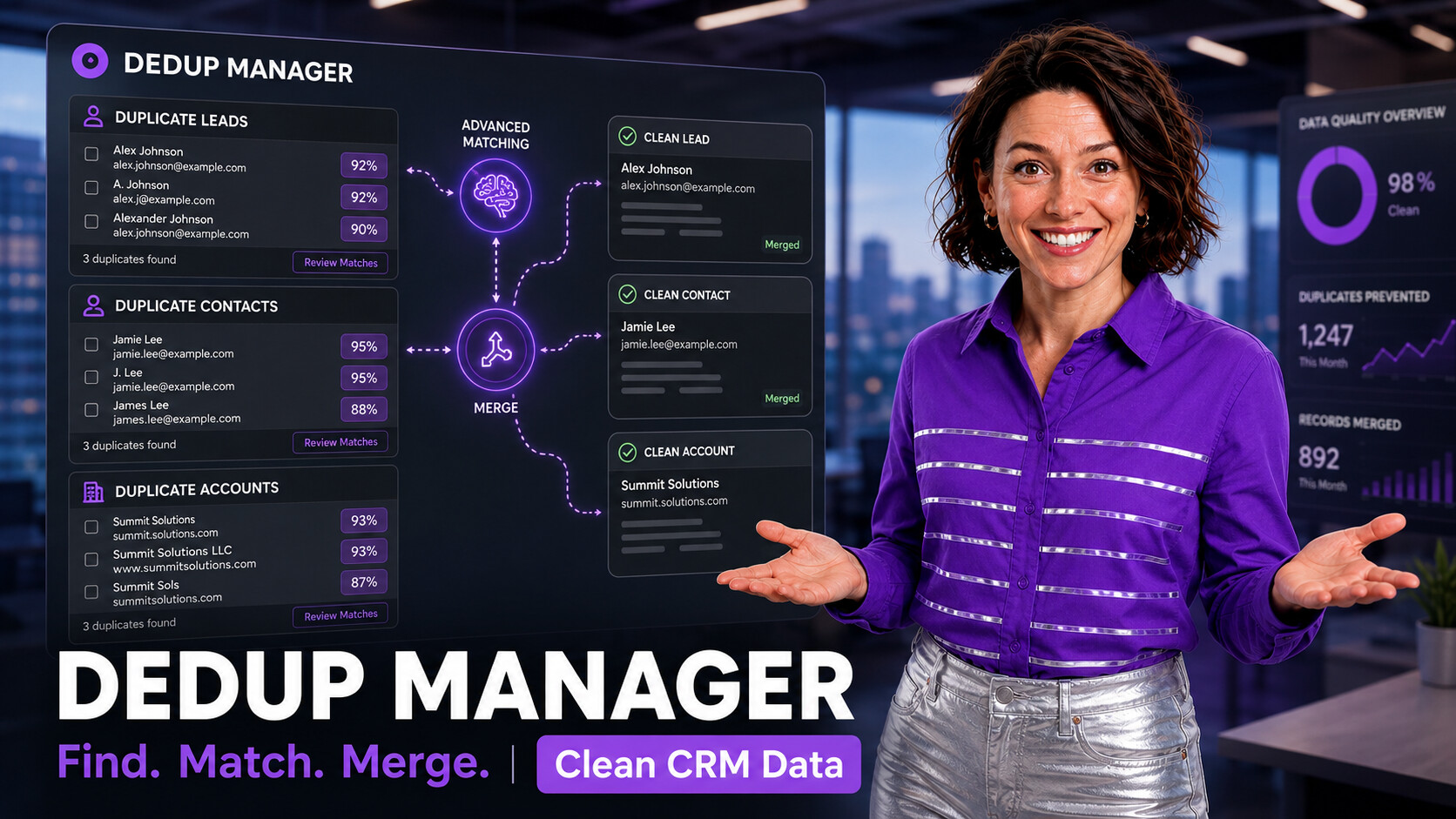
Why Duplicate Records Become an Admin Problem
Duplicate records usually start with normal CRM activity: imported leads, web forms, trade-show lists, partner uploads, integrations, rep-created accounts, converted leads, and partial data entry. One duplicate looks harmless. Thousands of duplicates make the org feel unreliable.
The damage shows up in places admins care about: pipeline reports count the same company twice, campaign members split across duplicate contacts, support cases sit under the wrong account, automations fire on the wrong record, and sales reps argue about which record is the source of truth.
What Salesforce Duplicate Management Does Well
Salesforce duplicate management is built around matching rules, duplicate rules, duplicate jobs, duplicate record sets, and duplicate reports. Salesforce Help explains that matching rules compare fields to detect likely duplicates, while duplicate rules or duplicate jobs decide how duplicates are handled or reported.
That native layer is important, especially for warning users during record creation and tracking duplicate candidates. But admins still need a practical operating workflow for reviewing many groups, choosing the right master record, copying field values, preserving related records, and making the cleanup reversible.

Advanced Matching Signals Admins Should Combine
A good duplicate strategy uses more than one field. Exact email matching is useful, but it misses records where email is blank, personal, misspelled, or shared. Name matching helps, but it can over-match common names. Phone and domain matching add context, but they need normalization first.
ZaapIT helps admins work with these signals in a reviewable grid, so suspected duplicates can be filtered, sorted, compared, and merged without relying on a single narrow rule.
Design the Match Rules Before You Merge
| Decision | Why it matters | ZaapIT approach |
|---|---|---|
| Main duplicate criteria | Controls whether the job finds too few matches or too many false positives. | Use exact criteria for trusted fields and fuzzy criteria for names that vary across imports and user entry. |
| Master selection field | The master record becomes the record users keep working from. | Choose a reliable signal such as Created Date, Last Modified Date, completeness, owner, or another business rule. |
| Copy field behavior | Important values can be lost if every field simply keeps the master value. | Decide field by field whether to keep master values, copy missing values, or preserve specific values from duplicates. |
| Related lists | Cases, activities, opportunities, campaign history, and files often hold the real customer story. | Back up and merge related lists automatically where appropriate, then review exceptions before the job runs. |
| Rollback plan | Bulk duplicate cleanup affects many rows and relationships. | Use backups, bulk undo, and restore for affected rows so admins have a recovery path. |

How the ZaapIT Mass Merge Job Helps
The merge job screenshot above shows the kind of setup Salesforce admins need before a high-volume dedupe run: object selection, fuzzy matching criteria, master selection order, copy-field behavior, related-list backup, SOQL filtering, batch size, schedule, preview, and manual mass merge options.
- Preview before merge: inspect duplicate groups before changing production records.
- Choose the master: control whether the newest, oldest, most complete, or rule-selected record survives.
- Copy fields carefully: preserve important values instead of blindly keeping every master field.
- Handle related records: protect related contacts, accounts, leads, cases, activities, files, and custom child records.
- Run controlled batches: process a large job in manageable chunks instead of a risky one-shot cleanup.
- Recover safely: use backup, bulk undo, and restore for affected rows when a merge job needs correction.
A Practical Duplicate Cleanup Playbook
- Standardize first. Normalize emails, phones, company suffixes, countries, states, and obvious text variations before matching. This improves match quality and reduces false negatives.
- Start with one object. Work through Leads, Contacts, or Accounts separately before cross-object matching.
- Segment risky groups. Separate exact matches from fuzzy matches, high-confidence groups from review-needed groups, and small batches from large jobs.
- Review master rules. Decide what record should survive and which fields can be copied before the merge job runs.
- Protect relationships. Confirm related lists, activities, cases, campaign history, opportunities, and files are handled correctly.
- Document rollback. Make sure backups, bulk undo, and restore are available for the affected rows before approving a large cleanup.
Where Duplicate Matching Affects Salesforce Reports
Duplicate records distort reporting because the same customer, lead, or account is counted in several places. Pipeline reports overstate account coverage, campaign reports split engagement across multiple contacts, case reports hide customer history, and activity reporting can make reps look less coordinated than they are.
After a ZaapIT dedupe job, admins should review core dashboards again: duplicate counts by object, recently merged records, campaign-member consolidation, open cases by account, opportunity rollups, and owner assignment. Clean reporting is one of the strongest signals that duplicate cleanup worked.
Clean Duplicate Records With More Control
Use ZaapIT Dedup Manager to find duplicate groups, review matching logic, choose the master record, merge related data, and keep a recovery path with backup, bulk undo, and restore for affected rows.
Frequently Asked Questions
Why do duplicate records keep appearing in Salesforce?
Duplicates usually come from imports, web forms, integrations, manual entry, converted leads, and inconsistent matching rules that do not catch variations in names, emails, phones, or company domains.
What makes a Salesforce duplicate matching strategy safer?
A safer strategy combines exact, fuzzy, and normalized signals, previews duplicate groups before merge, defines the master record rule, protects related records, and keeps a rollback path.
How does ZaapIT Dedup Manager help with mass merge jobs?
ZaapIT Dedup Manager helps admins configure matching criteria, choose master selection logic, copy field values carefully, merge related lists, run controlled batches, and use backup, bulk undo, and restore when needed.
Useful ZaapIT Resources
- Salesforce Customer Data Management and Duplicate Cleanup Guide
- CSV vs Salesforce Fuzzy Matching Tutorial
- Salesforce Text Formatting and Standardization Guide
- Salesforce List View 200 Record Limit Mass Update Playbook