Mass Delete Salesforce Accounts With Related Records: A Safer Admin Playbook
How Can Salesforce Admins Mass Delete Accounts With Related Records Safely?
Deleting old Accounts sounds simple until related Cases, Contacts, Opportunities, Tasks, Files, orders, contracts, or custom child objects turn the cleanup into a risky admin project. Here is a practical way to plan the deletion, understand why Salesforce blocks it, and use ZaapIT Mass Delete to review, select, back up, and execute the work with far less spreadsheet chaos.
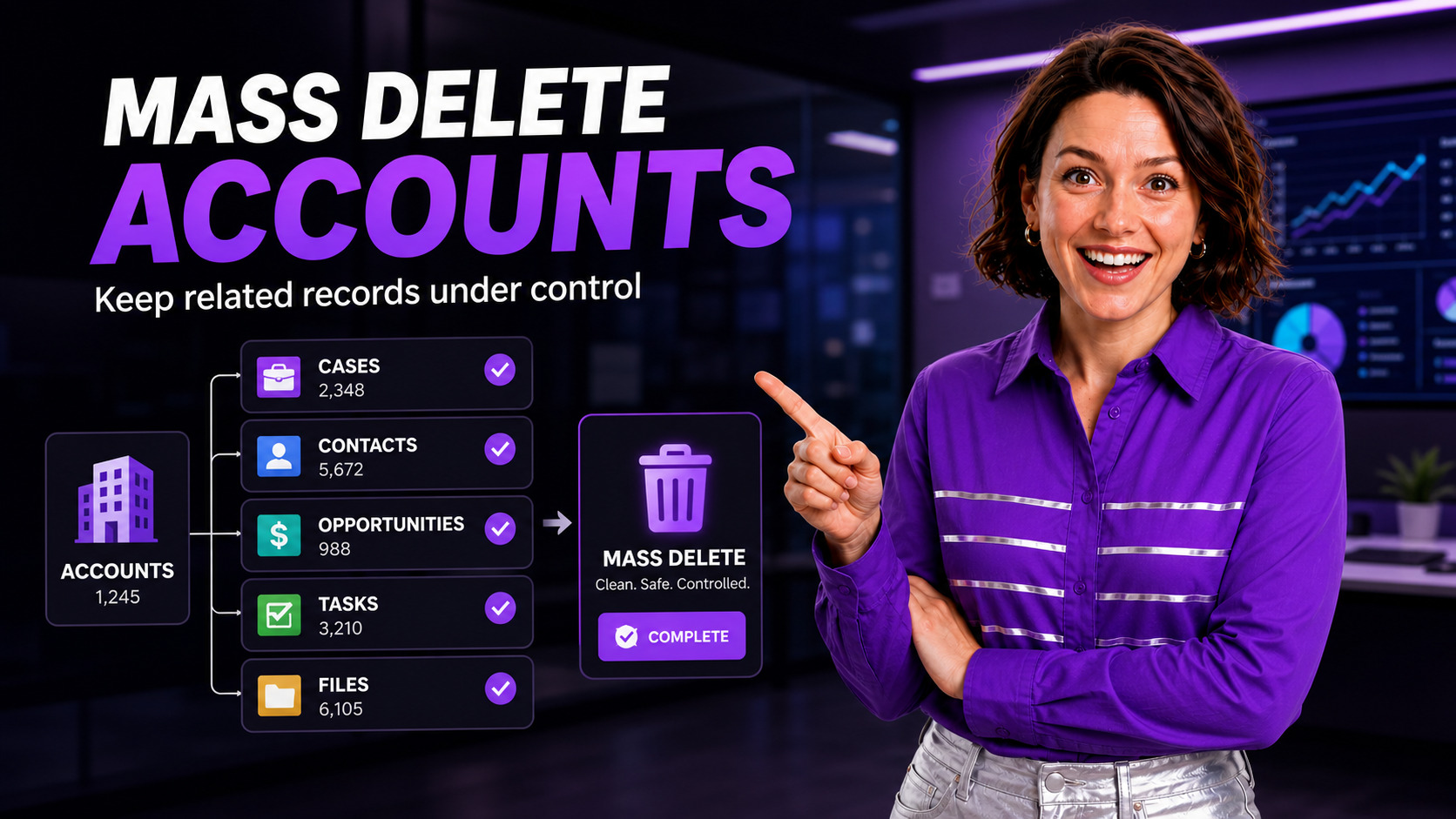
The Admin Problem: “Why Won’t These Accounts Delete?”
A common Salesforce admin cleanup starts with a reasonable request: remove old test Accounts, stale prospects, imported sample data, duplicate shells, or customers that should no longer exist in the org. The list may contain hundreds or thousands of records, and each Account can carry a different set of related records.
The trouble appears when some Accounts delete cleanly and others fail. Salesforce account deletion depends on permissions, ownership, role hierarchy, related Cases, closed-won Opportunities, activated Contracts, partner/customer community users, Orders, and relationship-specific rules. A single child record can change the deletion path.
This is why Salesforce admins often end up exporting IDs, running reports for child objects, deleting children in separate batches, rechecking failures, and trying not to remove something the business still needs. It is not just a delete button. It is a dependency-management problem.
Why It Happens in Salesforce
Salesforce protects relational data. That is good. But for bulk cleanup, the protection can feel opaque because the admin must identify what is attached, decide what should happen to each attachment, and sequence the deletion correctly.
Native Salesforce Mass Delete Records can help with supported objects, but it is designed for simpler batches. Salesforce Help describes mass deletion as a guided admin tool for supported records and recommends archiving or exporting information before mass deletion. For larger cleanup work, review ZaapIT’s Mass Delete Records in Salesforce tutorial before choosing the production deletion path.
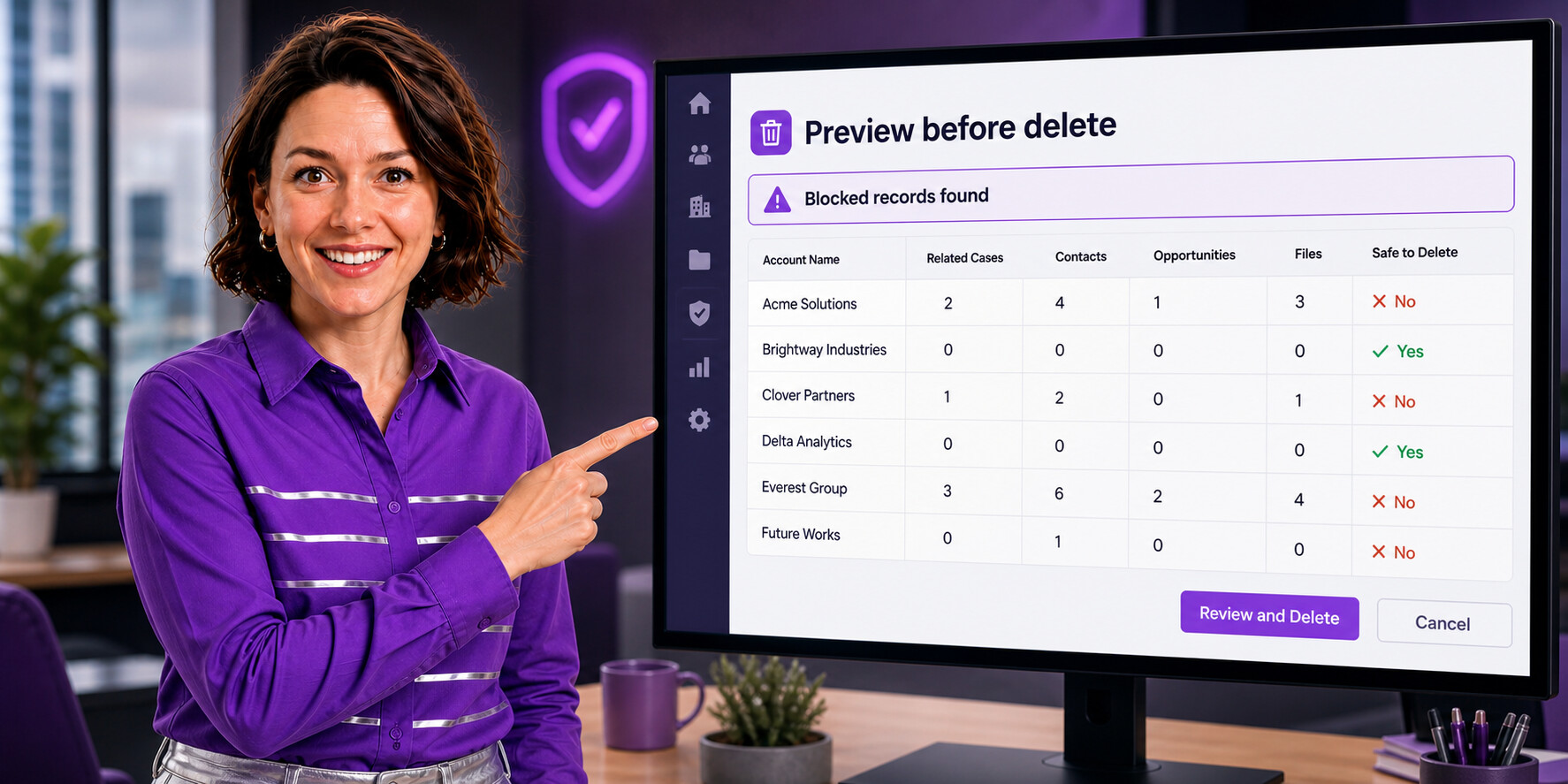
The Safer Use Case: Delete Only After Relationship Review
The best admin workflow is not “select all and delete.” It is “select, inspect, preserve, resolve dependencies, then delete.” ZaapIT’s Salesforce-native data management apps are useful here because admins can work from a grid, filter exactly the records they want, inspect related data, and reduce the back-and-forth between reports, CSV files, and Data Loader. If the cleanup starts from imported data, the ZaapIT Salesforce import tutorial is a useful companion for staging cleaner records first.
1. Build the target Account list
Start with precise criteria: test data, inactive customers, old imported sample data, Accounts with no recent activity, duplicate empty shells, or Accounts marked for deletion by an approved business process. Avoid broad filters such as “created before last year” unless the business has reviewed the impact.
2. Show related-record counts before taking action
For each target Account, review child counts such as Cases, Contacts, Opportunities, Tasks, Events, Notes, Attachments, Files, Orders, Contracts, custom objects, and integration records. A row-level view helps the admin distinguish empty records from Accounts that still carry customer history.
3. Decide the right action per dependency
Some records should be deleted first. Some should be reassigned. Some should be merged into a surviving Account. Some should block the deletion entirely. A tool that gives admins a visual preview makes those decisions easier to explain and approve. When duplicate Accounts are part of the issue, review DEDUP-Manager and the Mass Merge tutorial before deleting anything.
How ZaapIT Helps Salesforce Admins Overcome the Issue
ZaapIT gives admins a practical operating layer for this kind of cleanup. Instead of jumping between list views, reports, exports, and imports, the admin can filter Accounts, inspect related records, edit cleanup fields inline, and run controlled mass actions from a familiar grid experience. The broader Salesforce Customer Data Management guide explains how duplicate cleanup, imports, mass updates, and deletion controls fit into one hygiene program.
- Mass selection with filters: target the exact Accounts that match cleanup criteria instead of manually checking pages of results.
- Inline review: add or update cleanup status, deletion reason, owner review, or approval fields before deleting.
- Related-record visibility: expose the child-record context that decides whether the Account is ready, blocked, or needs a separate cleanup step.
- Bulk execution: process large sets without the friction of repeated 250-record native wizard batches.
- Audit-friendly workflow: document who reviewed the list, what was selected, what was exported, and which records were deleted.
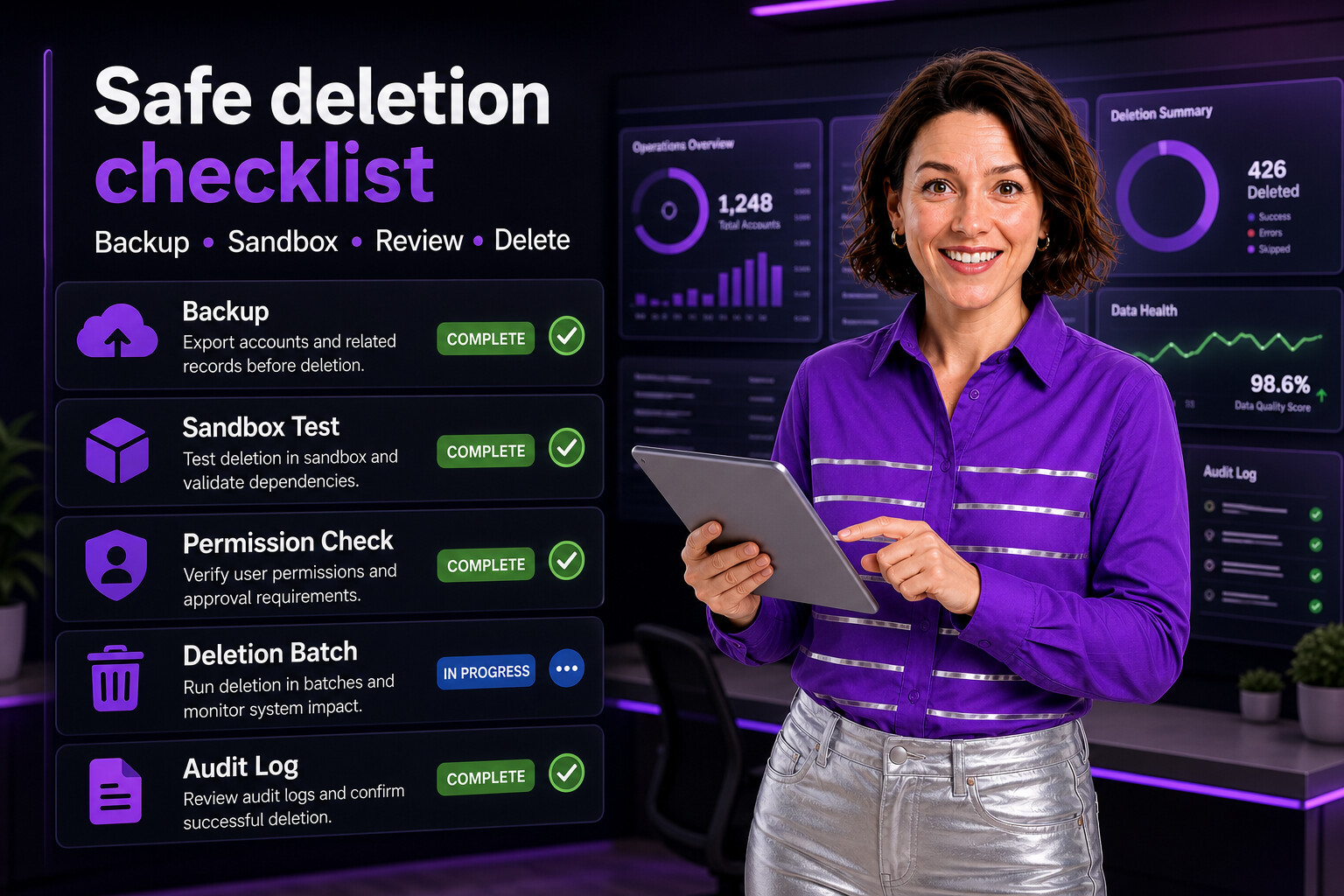
A Practical Account Deletion Checklist
| Step | What the admin checks | How ZaapIT supports the work |
|---|---|---|
| Define the use case | Why these Accounts should be removed, who approved it, and which records are excluded. | Create a filtered working set and keep the cleanup criteria visible. |
| Back up data | Export Account IDs, key fields, and related-record evidence before deletion. | Use grid exports and snapshots so the admin has a recovery reference. |
| Review dependencies | Cases, Contacts, Opportunities, Files, Orders, Contracts, custom objects, and automation blockers. | Surface relationship counts and drill into problem records before running the delete. |
| Resolve blockers | Delete child records first, reassign records, merge duplicates, or mark the Account as not deletable. | Use mass update and inline edit to prepare records in controlled batches. |
| Test in sandbox | Confirm deletion order, automation behavior, and unexpected failures. | Run the same filtered workflow in a sandbox before production. |
| Delete in batches | Monitor failures, locking, API limits, and business-hour impact. | Execute targeted batches and review results from the admin grid. |
| Validate results | Confirm deleted records, remaining blockers, reports, and storage impact. | Filter the post-delete state and document exceptions. |
When Not to Delete
Deletion is not always the best hygiene action. If an Account has real customer history, active legal obligations, closed-won Opportunities, support Cases, signed documents, or integrations that expect the ID to remain available, consider merging, archiving, anonymizing, or marking it inactive instead.
For duplicates, the better outcome is often to merge Accounts so the surviving record keeps relationship history. For compliance requests, admins should follow company policy and legal guidance. For performance cleanup, Salesforce’s large-volume deletion guidance stresses sequencing related objects carefully, especially with parent-child-grandchild structures. For prevention after cleanup, see ZaapIT’s article on advanced Salesforce duplicate matching strategies.
Make Account Cleanup Predictable
Use ZaapIT to filter, preview, update, back up, and delete Salesforce records with better control over related data.
Frequently Asked Questions
Why can mass deleting Salesforce Accounts be risky?
Mass deleting Accounts is risky because related Contacts, Cases, Opportunities, Tasks, Files, contracts, orders, and custom child records can block deletion, lose context, or trigger unexpected automation.
What should Salesforce admins check before deleting Accounts?
Admins should review related records, ownership, automation, integrations, backup requirements, restore options, and exception records before approving a large Account cleanup.
How does ZaapIT make Account deletion safer?
ZaapIT helps admins filter the target Accounts, review related records, back up affected rows, delete in controlled batches, and use bulk undo or restore if the cleanup needs correction.
Useful ZaapIT Resources
- ZaapIT Documentation: Mass Delete Complete Guide
- ZaapIT Tutorial: Mass Delete Records in Salesforce
- ZaapIT Guide: Dedup Manager Overview
- Related scenario: deleting Salesforce Accounts with related Cases