How California SaaS Teams Clean Product-Led Trial Accounts
Why Trial Account Identity Matters for California SaaS Teams
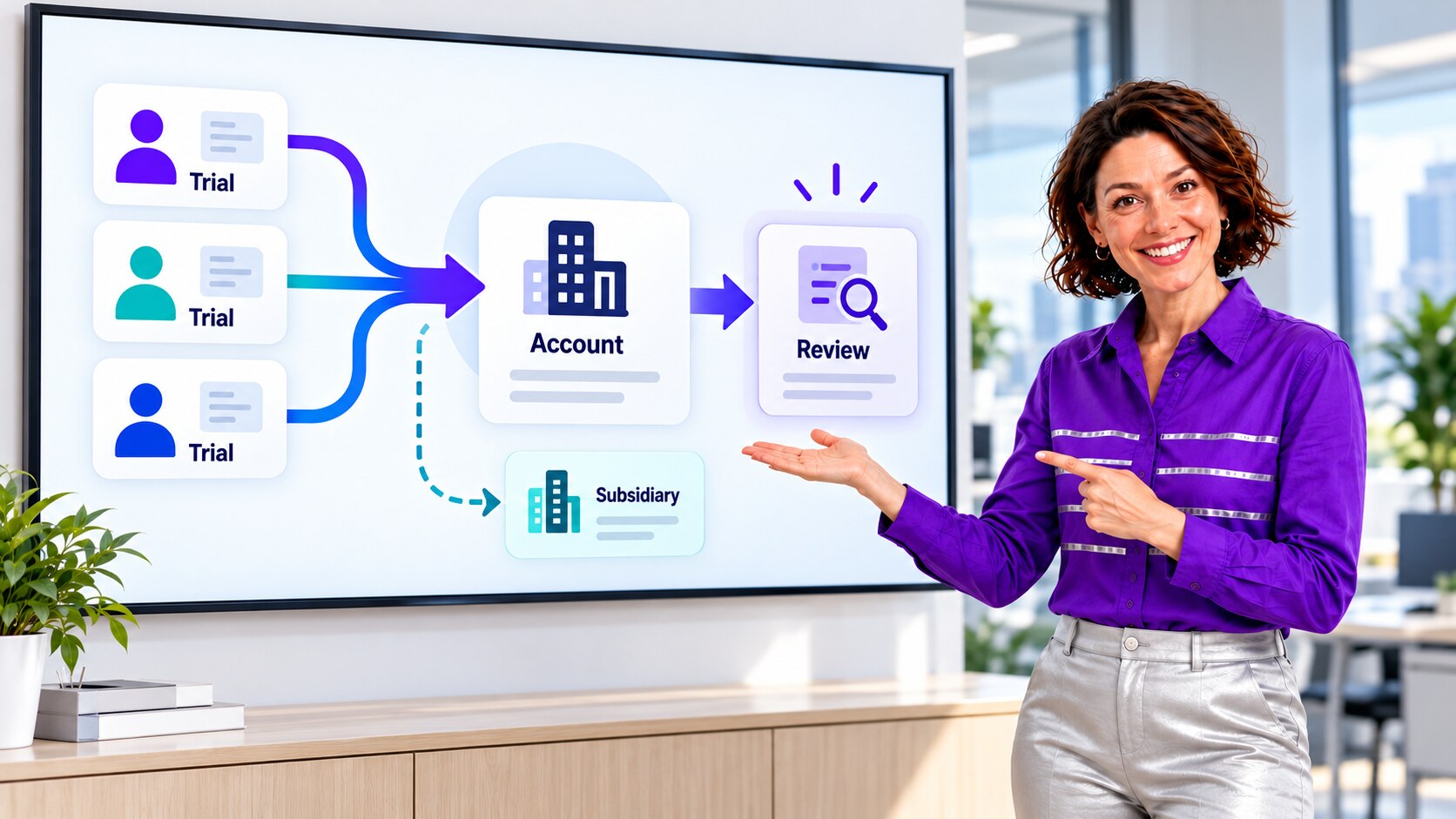
A Silicon Valley SaaS team finds that self-service trials and sales-created records have produced several Salesforce Accounts for one verified company, while a legitimate subsidiary shares its parent brand. Pipeline and trial-conversion reports count the same buying organization twice. This anonymized composite scenario uses an illustrative 15,000-row review to show how an admin can verify account identity, preserve the subsidiary, and use ZaapIT preview, backup, controlled batches, bulk undo, and restore where applicable.
Why Silicon Valley SaaS Data Deserves Careful Identity Rules
Joint Venture Silicon Valley’s nonprofit 2026 Silicon Valley Index reports that the region’s 20 largest technology firms employed about 215,000 people in 2025, even as overall employment fell by 13,100 jobs from mid-2024 to mid-2025. The Index covers a broader technology economy, not SaaS trial signups specifically. For a software team with self-service acquisition, however, fast lead creation and later sales qualification make the boundary between a user, a workspace, a legal customer, and a corporate parent especially important for CRM reporting. The Census Bureau’s business-record linkage review shows why business names and addresses alone are weak matching keys. In a California SaaS trial funnel, the analogous mistake is treating every workspace under one email domain as a separate legal customer, or merging a legitimate subsidiary into its parent merely because the names look alike.
Use Case: Trial Workspaces Become Duplicate Accounts
In the example, three employees start trials from the same company’s email domain. A product-to-CRM integration creates an Account for each workspace; a sales rep also opens a prospect Account using the company’s legal name. A subsidiary uses a related brand and domain, but has its own contract and account owner. The raw Account count now inflates the trial-to-customer denominator and fragments Opportunities, Contacts, and product activity. Merging everything with the same brand would erase the legitimate subsidiary boundary.
The admin defines identity in layers: each user remains a Contact or Lead, each product workspace retains a unique workspace ID, each legal customer has a verified Account, and related legal entities can be connected through Parent Account. A common email or website domain is useful evidence, but not proof: agencies, shared email platforms, subsidiaries, and contractors can share or change domains.
| Signal | Verification | Decision rule |
|---|---|---|
| Workspace ID and signup email | Compare product events with CRM source IDs and the user’s employer. | Keep workspaces distinct even when users belong to one Account. |
| Domain, website, and company name | Check legal entity, billing system ID, and active contract. | Use as a candidate match, not an automatic merge. |
| Subsidiary or acquired entity | Confirm ownership, contract, account owner, and effective dates. | Preserve separate Accounts and link the appropriate parent. |
| Open work | Inventory Contacts, Leads, Opportunities, Cases, tasks, and custom workspace links. | Plan relationship changes before retiring any duplicate. |

Where Salesforce Native Matching Needs More Context
Salesforce’s standard Account matching rule considers combinations of Account Name, address, phone, and website, and its Help page says the new or edited Account needs a name plus City or ZIP for accurate matching. A trial signup often has only a user email, workspace ID, and company name. The standard rule therefore is not a complete product-led identity policy, although admins can configure additional matching and duplicate rules for their org.
Salesforce Trailhead explains that Parent Account relationships can show a company family tree and preserve separate location-specific Accounts. For this composite team, the admin checks corporate structure, billing identity, and account ownership before choosing a merge or a parent-child link. No Salesforce matching alert, by itself, settles that business decision.
A Safer ZaapIT Cleanup for an Illustrative 15,000-Row Population
- Save a baseline: capture trial workspaces, Leads, Contacts, Accounts, billing IDs, open Opportunities, owners, and current conversion reports. Record the exact 15,000-row illustrative scope.
- Profile and group: use ZaapIT filters and duplicate-review tools to group name and domain variants while retaining workspace and source identifiers. Send ambiguous shared-domain groups for human review.
- Approve the identity map: decide the surviving legal Account, any separate subsidiary Accounts, Parent Account links, and where each workspace belongs. Do not infer a contract relationship from a domain alone.
- Preview and back up: examine proposed field changes and related-record links before updating production. Save old-to-new Account ID crosswalks and affected values.
- Standardize and consolidate: correct verified company names, websites, domains, and parent links. Merge only confirmed duplicate Accounts after checking object support, field-copy behavior, and related-list handling in the target org.
- Run controlled batches: monitor integration syncs, flows, assignment rules, opportunities, cases, and product workspace references after each batch.
- Validate and retain recovery: reconcile distinct verified customers, active workspaces, open pipeline, and trial-to-paid cohorts with the baseline. Use ZaapIT backup, bulk undo, and restore for affected rows where applicable; test merge-specific and downstream-system recovery separately.
The safety advantage is the ability to inspect, back up, and correct large approved changes without treating one bad filter as a permanent mass edit. A sandbox rehearsal and business-owner signoff remain necessary, especially when merging Accounts with live product and billing integrations.

What the Team Checks After Cleanup
The admin compares the number of verified legal customers with the old Account count, but does not treat a smaller number as success on its own. A sample of paid customers, open trials, subsidiaries, and shared-domain users must still connect to the right Account. Pipeline amounts and trial cohorts are rerun by company and parent; open Opportunities and Cases are inspected for wrong ownership. The integration team then updates signup mapping so future workspaces resolve against an approved customer key instead of blindly creating an Account for every trial.
- One verified legal customer Account can have many users and workspaces.
- Separate subsidiaries, agencies, and contractors stay separate when their business identity requires it.
- Every retired Account ID has a documented surviving ID or explicit exception.
- Batch logs, backups, reviewer decisions, and restoration tests remain available for audit.
Make SaaS Customer Data Trustworthy
Use ZaapIT to review trial-driven duplicate candidates, standardize verified Accounts, and carry out controlled cleanup with backup, bulk undo, and restore where applicable.
Frequently Asked Questions
Should every trial from the same email domain become one Account?
No. A shared domain is a useful candidate signal, but the admin must verify legal customer, billing identity, subsidiaries, agencies, and individual workspaces before associating or merging records.
Why can trial signups inflate SaaS conversion reports?
When every workspace or signup creates a separate CRM Account, one buying organization may appear several times. Trials, Opportunities, and paid status can then be split across records and distort cohort and pipeline reports.
Does Salesforce standard Account matching solve product-led account identity?
Not by itself. Salesforce’s standard rule uses specific name, location, phone, and website combinations; trial feeds may lack those fields. The org still needs a reviewed identity model and configured controls for workspaces, legal customers, and corporate relationships.
When should SaaS Accounts be linked instead of merged?
Preserve separate Accounts for distinct legal or operational entities, such as a subsidiary with its own contract or owner. Use an approved Parent Account relationship when that reflects the corporate structure.
How does bulk undo help a trial-account cleanup?
For supported affected rows, a backup and bulk undo or restore can correct a bad mapping or filter after validation. Test the exact recovery scope, especially for merges and external product or billing systems.
Useful ZaapIT Resources
Sources
- U.S. Census Bureau: overview of business record linkage and name/address variants
- Joint Venture Silicon Valley: 2026 Silicon Valley Index highlights
- Joint Venture Silicon Valley: 2026 Index report
- Salesforce Help: Standard Account Matching Rule
- Salesforce Trailhead: Account relationships and hierarchies
- Salesforce Help: Standard Duplicate Rules