ZaapIT Dedup Manager: Enterprise Salesforce Deduplication Platform
How Can Enterprise Salesforce Teams Manage Duplicate Records End to End?
Enterprise Salesforce duplicate cleanup is bigger than finding two similar records and clicking merge. Admins need matching rules, review queues, merge jobs, related-record handling, prevention controls, reports, and a recovery path. ZaapIT Dedup Manager brings those steps into one controlled workflow.

Why Enterprise Duplicate Management Needs a Platform
Small Salesforce teams can sometimes clean duplicate records manually. Enterprise teams cannot rely on manual merging alone because duplicates arrive from many places: web-to-lead forms, partner lists, data enrichment tools, support systems, field sales activity, marketing imports, API integrations, and old migrations.
The same company may appear as a Lead, Contact, Account, partner Account, or imported prospect. One merge choice can affect pipeline attribution, campaign history, account hierarchy, open cases, activities, files, ownership, and reporting. That is why enterprise duplicate cleanup needs a governed process, not a one-off admin task.
What an Enterprise Deduplication Workflow Should Include
Matching Rules Need More Than One Field
Salesforce duplicate management depends on matching logic, but real CRM data is messy. Exact email matching is useful when email is reliable. Fuzzy name matching helps when names vary. Phone normalization catches formatting differences. Domain matching can connect Accounts that share the same website. Standardized country, state, and company suffix values improve every match.
ZaapIT Dedup Manager gives admins a practical way to work with those signals in one review workflow. Teams can segment exact matches, fuzzy matches, high-confidence groups, and groups that need manual review instead of treating every duplicate candidate the same way.
Mass Merge Jobs Need Governance
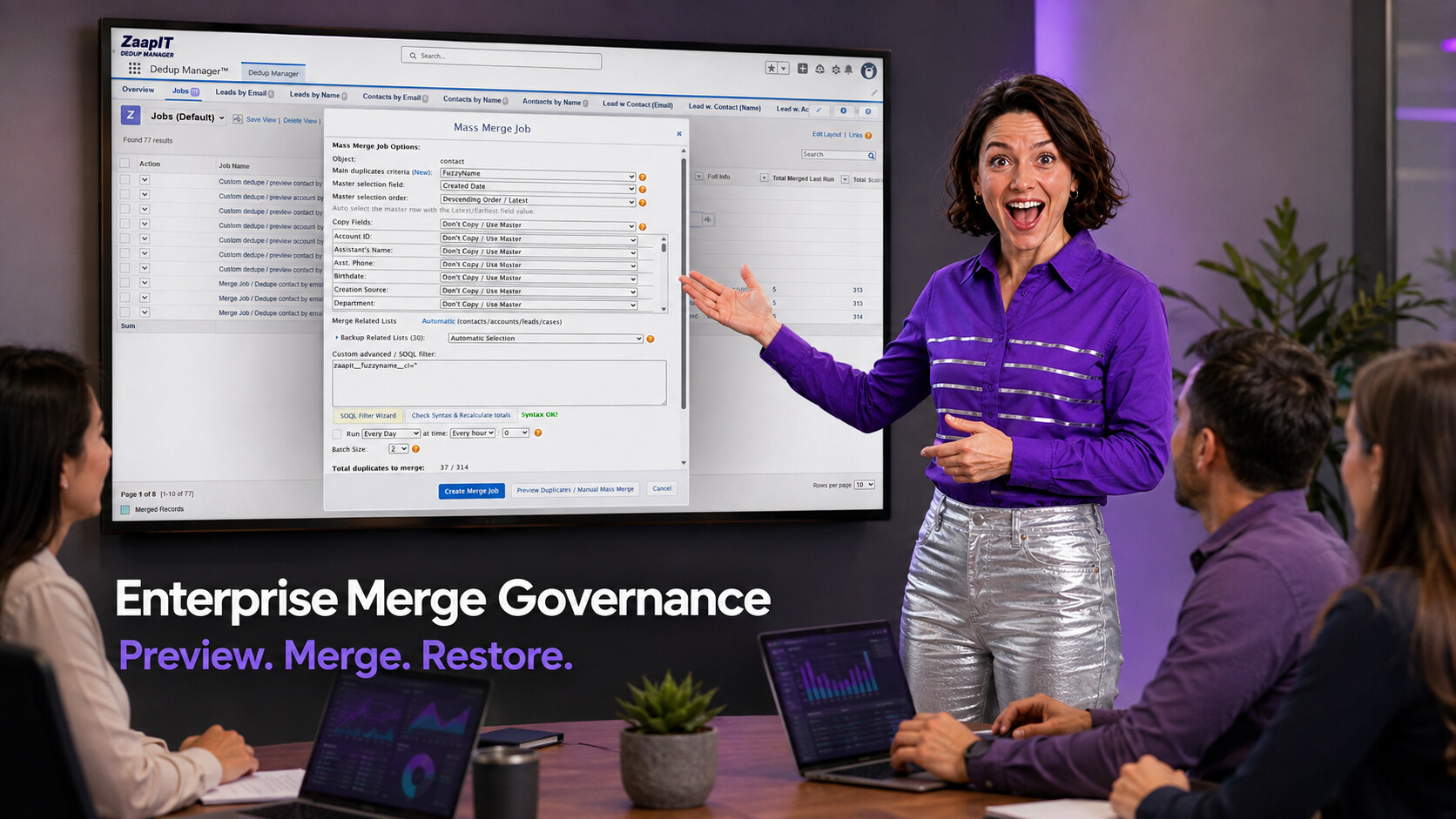
A merge job is powerful because it can clean many duplicate groups at once. It is also risky when the wrong master record survives, field-copy behavior is unclear, or related lists are not protected. Admins should define the job before running it: object, duplicate criteria, master selection field, master selection order, copy-field rules, related-list handling, SOQL filters, schedule, and batch size.
For enterprise orgs, the safest merge plan includes preview, backup, affected-row review, and a restore path. ZaapIT makes the workflow safer by supporting backup, bulk undo, and restore for affected rows when a cleanup needs correction.
| Platform capability | Admin question it answers | Why it matters |
|---|---|---|
| Cross-object matching | Are duplicate customers split between Leads, Contacts, and Accounts? | Prevents customer history from staying fragmented across objects. |
| Fuzzy matching | Are similar names hiding behind spelling, punctuation, suffix, or nickname differences? | Finds likely matches that exact rules miss. |
| Master selection | Which record should survive the merge? | Protects ownership, completeness, source-of-truth fields, and reporting logic. |
| Related-list handling | What happens to cases, activities, opportunities, campaigns, and files? | Keeps business context attached to the right customer record. |
| Bulk undo and restore | What happens if a job needs to be corrected? | Gives admins a practical recovery path for affected rows. |
Prevention Keeps the Cleanup From Coming Back
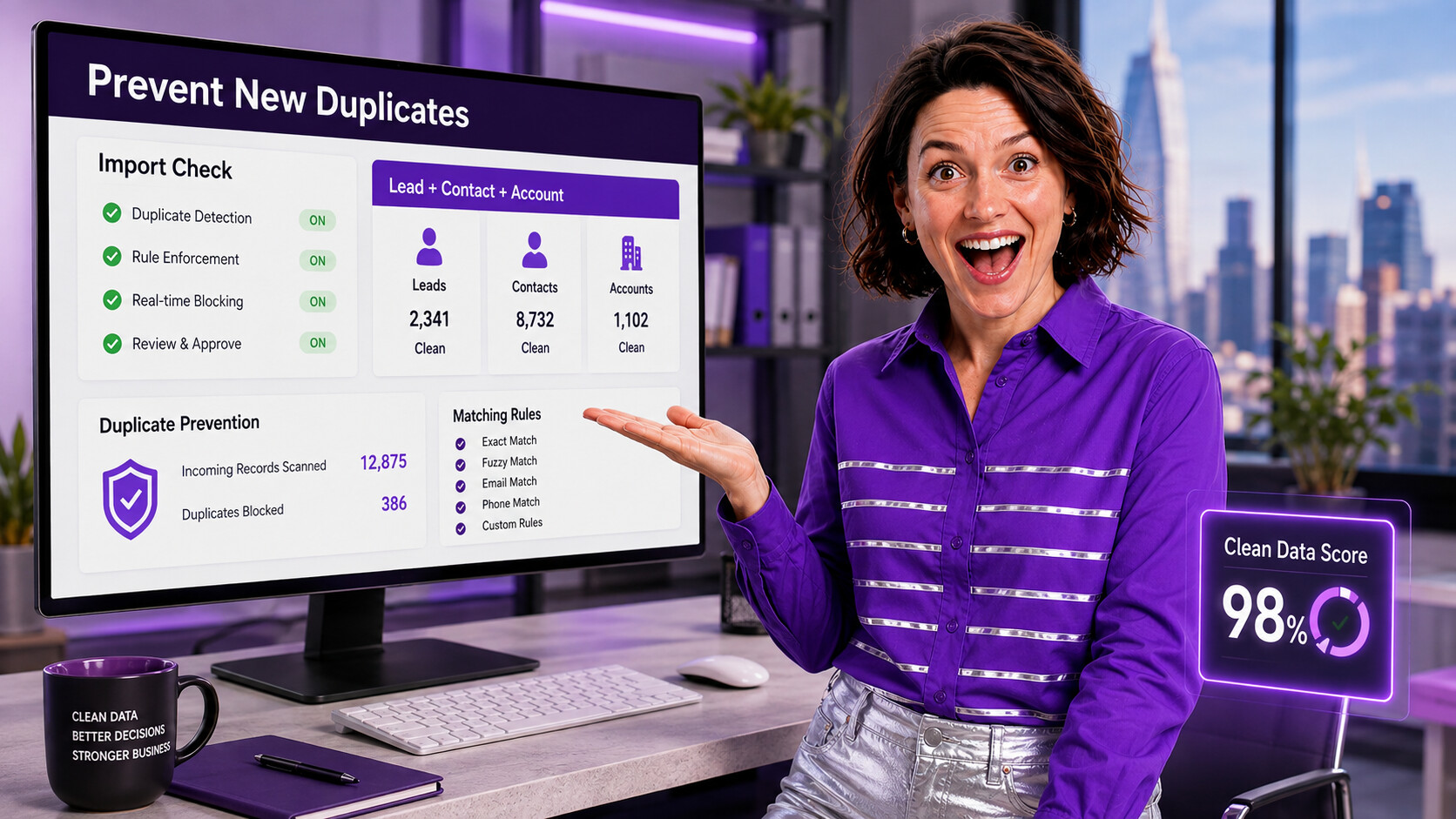
The best dedupe project does not end after the merge job. Admins should also stop duplicate records from returning through imports, integrations, lead capture, and user-created records. That means standardizing text, checking incoming data, comparing records before insert, and monitoring duplicate trends over time.
ZaapIT supports that lifecycle with tools for duplicate discovery, fuzzy matching, mass merge, import review, grid cleanup, and ongoing data quality monitoring. The result is a cleaner Salesforce org that stays cleaner after the project is done.
How to Roll Out Dedup Manager in an Enterprise Org
- Profile the data. Find the objects, sources, and fields where duplicates are most common.
- Standardize first. Normalize text, phone, email, country, state, and company suffix values before matching.
- Define match confidence. Separate exact matches, fuzzy matches, cross-object matches, and manual-review groups.
- Test merge rules. Validate master selection, copy-field behavior, and related-list handling on a small approved set.
- Run controlled jobs. Use batches, preview, backup, and post-job validation before scaling up.
- Monitor and prevent. Keep an eye on duplicate counts, import quality, user entry patterns, and reporting impact.
Where Deduplication Improves Salesforce Reporting
Duplicate records distort reports because activity, campaign engagement, opportunity history, and cases are spread across multiple records. Enterprise leaders may see inflated account coverage, incomplete customer history, duplicate pipeline, and unreliable campaign performance.
After cleanup, admins should check duplicate trends, recently merged records, open opportunities by account, cases by customer, campaign engagement by contact, and owner assignments. Better reporting is one of the clearest signs that the dedupe workflow is working.
Make Enterprise Deduplication Governed and Recoverable
Use ZaapIT Dedup Manager to find duplicate groups, review matching logic, run controlled mass merge jobs, prevent new duplicates, and keep a recovery path with backup, bulk undo, and restore.
Frequently Asked Questions
What makes enterprise Salesforce deduplication different from basic duplicate cleanup?
Enterprise deduplication has to cover multiple objects, import sources, integrations, related records, review workflows, scheduled jobs, reporting impact, and rollback planning, not just one manual merge at a time.
Which Salesforce objects should admins include in a dedupe strategy?
Admins should usually evaluate Leads, Contacts, Accounts, person accounts where used, campaign members, cases, activities, files, and custom child records that affect customer history or reporting.
Why should admins review duplicate groups before merging?
Review is important because fuzzy matching can find likely duplicates that still need human judgment. Admins should confirm the master record, copied fields, and related-list handling before the merge job changes production data.
How does ZaapIT Dedup Manager support safer mass merge jobs?
ZaapIT Dedup Manager helps admins configure matching criteria, preview duplicate groups, choose master selection logic, control field-copy behavior, merge related lists, and keep backup, bulk undo, and restore options for affected rows.
How does duplicate cleanup improve Salesforce reports?
Duplicate cleanup improves reports by consolidating activity, opportunity, case, and campaign history under the right customer records, which helps dashboards reflect cleaner account coverage, pipeline, engagement, and service history.
Useful ZaapIT Resources
- Salesforce Duplicate Records: Advanced Matching and Mass Merge Playbook
- Salesforce Customer Data Management and Duplicate Cleanup Guide
- CSV vs Salesforce Fuzzy Matching Tutorial
- Salesforce Text Formatting and Standardization Guide