Safely Close Stale Salesforce Tasks: Activity Cleanup for Admins
How Can Salesforce Admins Safely Clean Up Thousands of Overdue Tasks?
Old open Tasks can make Salesforce look busier than it really is. Sales reps see follow-ups that no longer matter, managers see inflated activity backlogs, and activity reports become harder to trust. This post explains how admins can identify stale Tasks, review the affected activity data, close or update records in controlled batches, and keep a recovery path with ZaapIT.
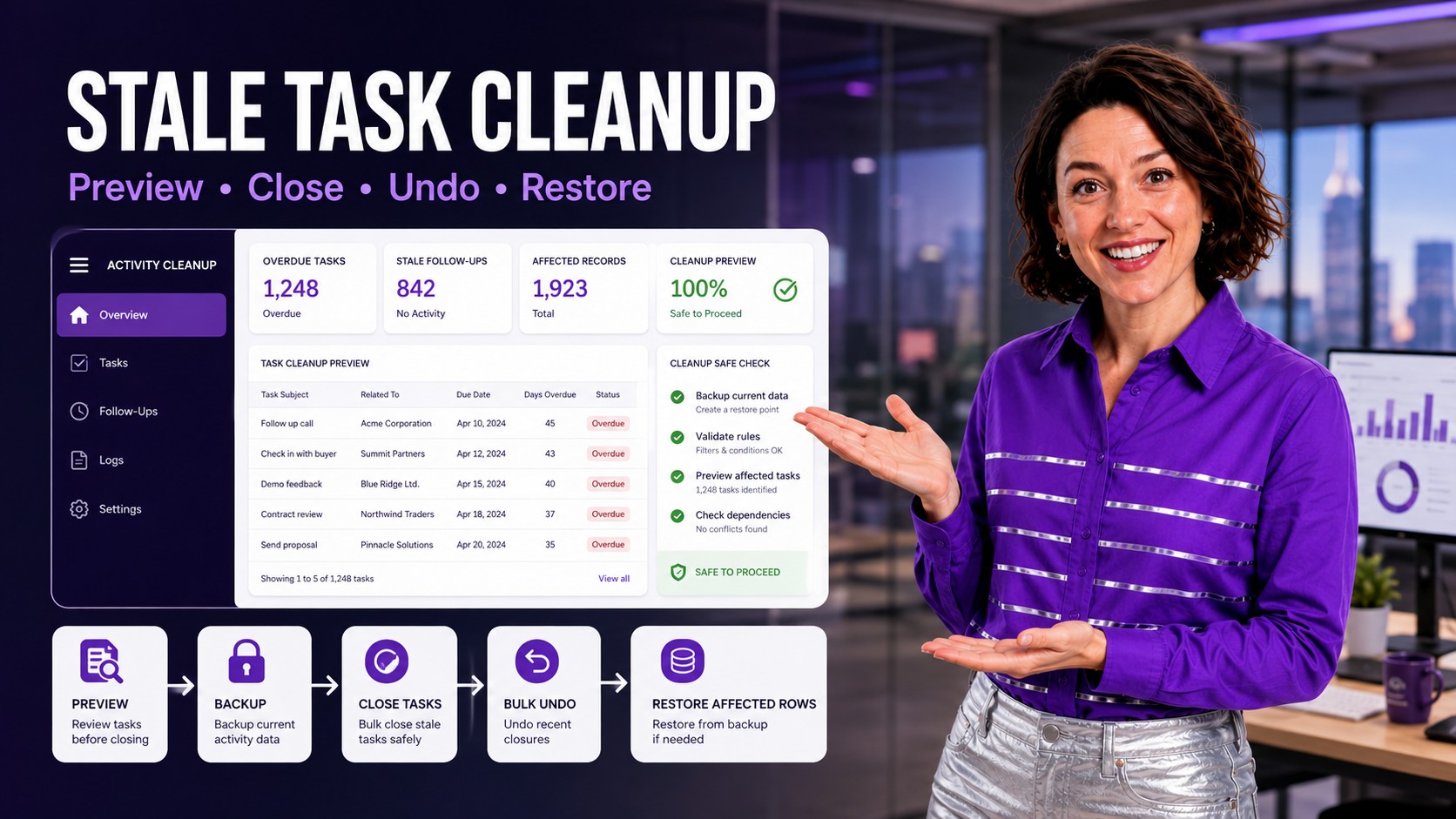
The Admin Problem: Activity Backlogs Stop Reflecting Real Work
Tasks are useful when they represent real follow-up. They become a data hygiene problem when thousands of old Tasks stay open after campaigns, migrations, rep turnover, territory changes, or process changes. The CRM then shows work that nobody intends to do.
That noise affects daily execution and management reporting. Reps can miss the few Tasks that matter because the list is crowded. Managers may misread open activity volume. Admins may struggle to separate real open work from historical debris.
Why Stale Tasks Happen in Salesforce
Stale activity data usually builds up gradually. A sales sequence ends, but its follow-up Tasks remain open. A user leaves, and old Tasks still point to them. A campaign imports a task set, but the campaign is later retired. A migration brings in historical activities with inconsistent status values. Each issue looks small until reporting and list views expose the volume.
Salesforce also treats Tasks and Events as activity records with specific reporting and archive behavior. Older completed activities can become archived, and archived activities are not always available in the same reporting and list-view paths as current records. That makes it important to clean active work intentionally before it becomes harder to analyze later.
What to Review Before Closing Tasks in Bulk
| Review Area | Admin Question | Safer Cleanup Rule |
|---|---|---|
| Status | Are these truly open, or did a migration leave old statuses inconsistent? | Standardize status values before closing the final population. |
| Due Date | How overdue is stale enough? | Use separate filters for 30, 90, 180, and 365-plus day Tasks. |
| Owner | Are Tasks assigned to inactive users or old queues? | Separate owner reassignment from closure when business follow-up is still required. |
| Related Record | Are Tasks tied to open Opportunities, active Cases, or key Accounts? | Exclude active revenue and service work unless the business owner approves closure. |
| Reports | Which dashboards will change after cleanup? | Capture before-and-after activity report counts by owner, team, due date, and status. |
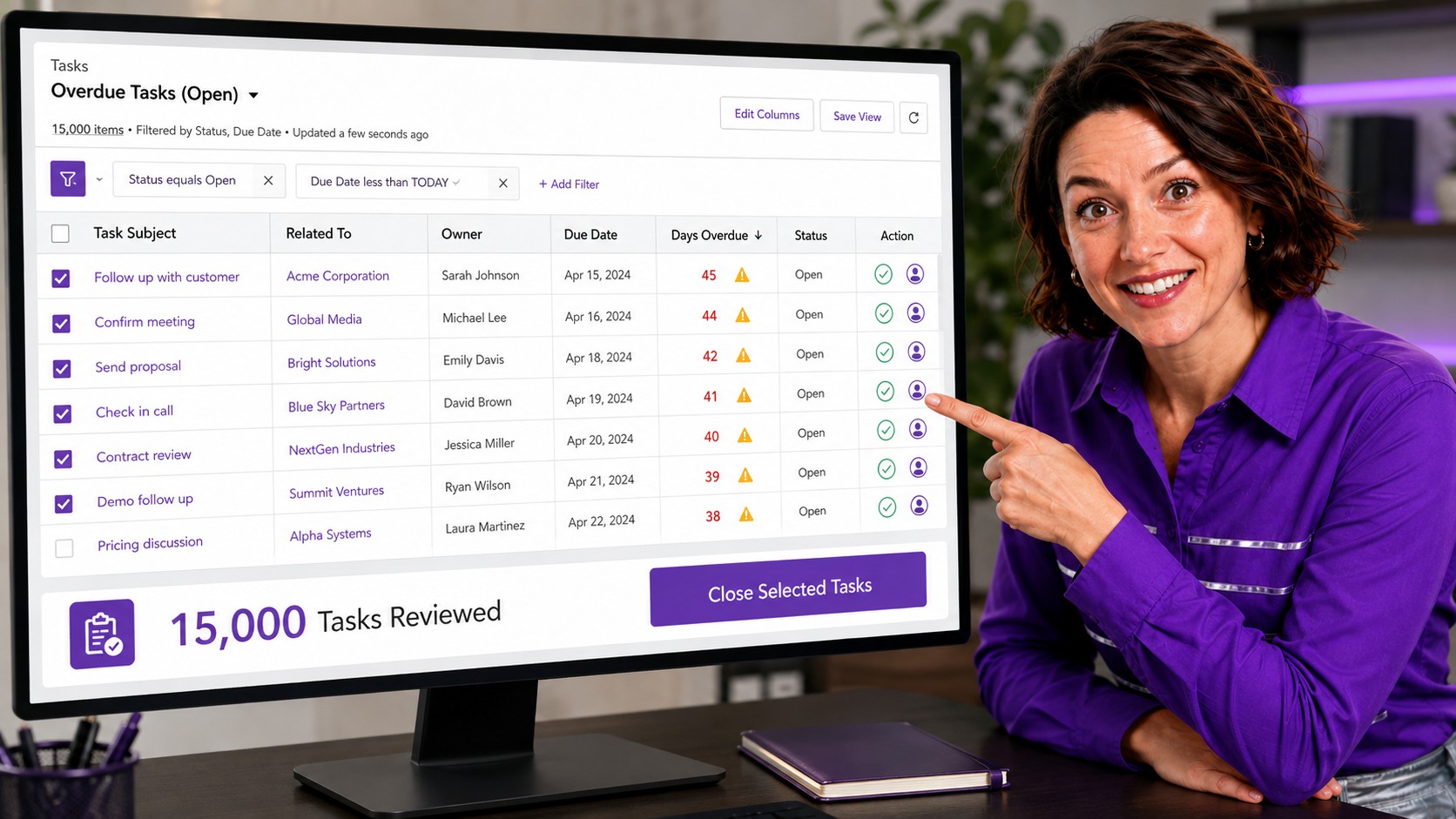
How ZaapIT Helps Clean Up Stale Salesforce Tasks
ZaapIT gives admins a practical way to work through high-volume activity cleanup inside Salesforce. Instead of exporting Tasks, editing a spreadsheet, and reimporting with limited recovery visibility, admins can filter records, review the affected rows, update values, and keep a clearer safety path.
- Review 15,000 rows: inspect large Task lists visually before running a broader cleanup.
- Filter precisely: target open Tasks by due date, owner, status, related object, priority, or campaign source.
- Update safely: close stale Tasks, change owner, standardize status, or add a cleanup note where appropriate.
- Recover affected rows: use backup, bulk undo, and restore if the cleanup needs correction.
The Unique Safe Selling Point: Bulk Undo and Restore
The risky part of activity cleanup is not clicking update. It is proving that the correct Tasks changed and recovering quickly if a filter was too broad. ZaapIT’s safe selling point is the recovery path: admins can back up affected rows before the cleanup, bulk undo the update, or restore affected rows from the backup when needed.
That matters for Tasks because activity data affects follow-up habits, manager reports, activity history, and sometimes automation. A safe cleanup should be reversible enough that admins can move decisively without turning every Task update into a manual migration project.
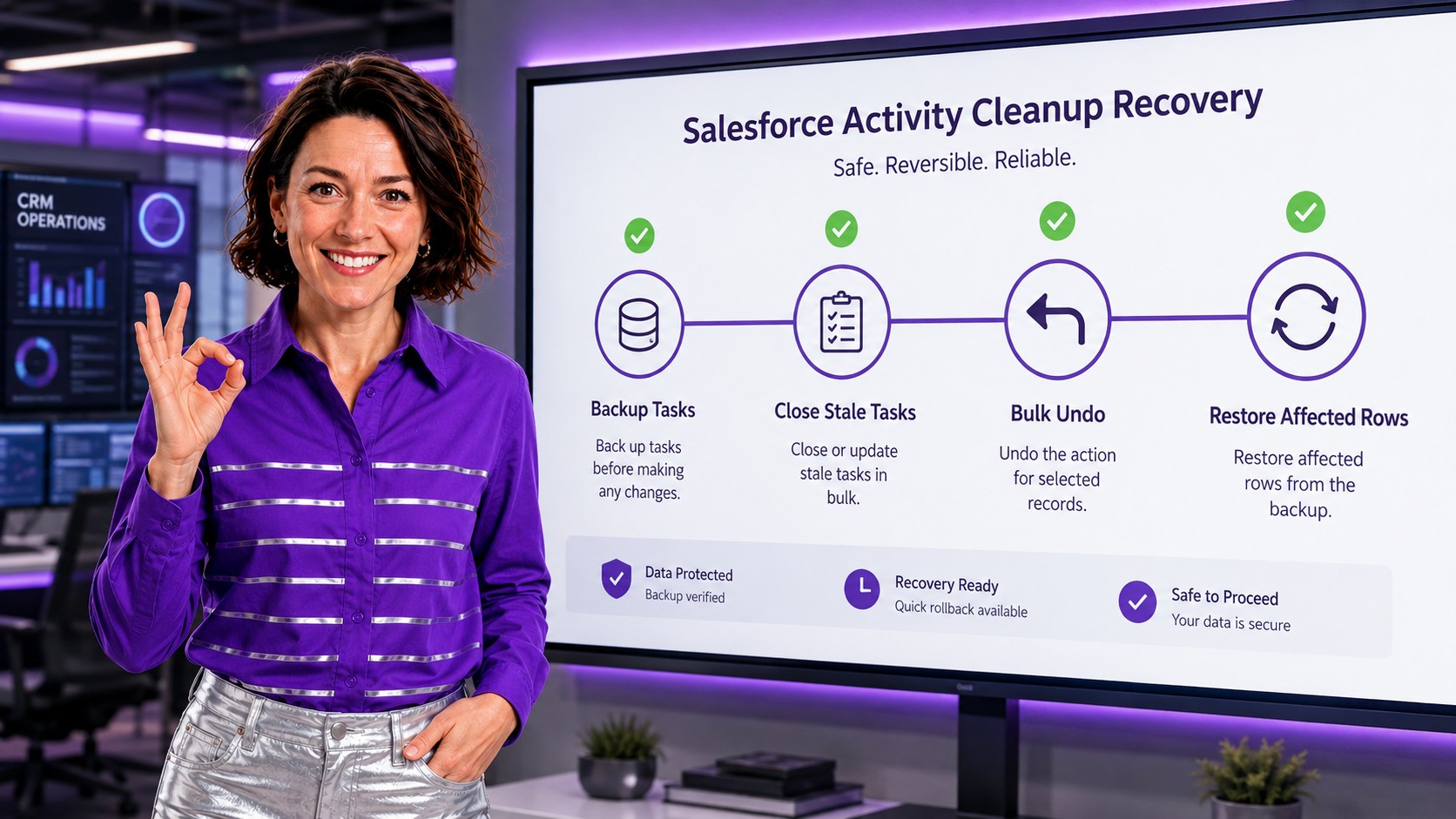
A Practical Cleanup Workflow
- Build a stale Task view: start with open Tasks older than a clear threshold, such as 90 or 180 days overdue.
- Segment exceptions: exclude Tasks related to open Opportunities, active Cases, strategic Accounts, legal holds, or customer commitments.
- Review sample rows: check representative owners, teams, related records, and statuses before changing anything.
- Back up affected rows: preserve current values so the update can be reversed if needed.
- Close or update in batches: update status, owner, or cleanup notes based on the approved rule.
- Validate reports: compare open activity counts, overdue-task dashboards, and user workloads after the cleanup.
How Stale Task Cleanup Improves Salesforce Data Hygiene
Clean activity data improves trust. Reps see current work, managers see useful workload signals, and admins can use reports to identify real process issues instead of old noise. Cleanup also helps future automation because fewer stale records sit in the path of flows, notifications, and owner-based rules.
The goal is not to erase activity history. The goal is to separate current work from abandoned work, keep reports meaningful, and make sure cleanup decisions can be reviewed and recovered when needed.
Make Salesforce Activity Cleanup Safer
Use ZaapIT to filter stale Tasks, preview affected rows, back up the update, close or update records in bulk, and use bulk undo or restore when correction is needed.
Frequently Asked Questions
What counts as a stale Salesforce Task?
A stale Task is usually an open activity that is overdue, no longer actionable, assigned to the wrong owner, tied to a retired process, or left behind after a migration, campaign, or user change.
Should admins close every overdue Task?
No. Admins should filter and review overdue Tasks first, then exclude active sales, service, legal, renewal, and customer-commitment work before closing stale records in bulk.
How can stale Tasks affect Salesforce reports?
Stale Tasks can inflate open activity counts, distort overdue-work dashboards, hide real workload issues, and make manager reports less useful for deciding what needs attention now.
Why is backup important before closing Tasks in bulk?
Backup protects the affected rows before the update. If a filter was too broad or the cleanup rule needs adjustment, admins can use bulk undo or restore instead of rebuilding records manually.
Can ZaapIT help with more than closing Tasks?
Yes. Admins can use ZaapIT to update owners, standardize status values, add cleanup notes, filter exception groups, and review large activity datasets before applying approved changes.