Safely Reassign Salesforce Records Owned by Inactive Users
How Can Salesforce Admins Safely Reassign Records From Inactive Users?
When a Salesforce user leaves the company, their Accounts, Contacts, Opportunities, Cases, Tasks, and custom records often stay behind. The cleanup looks simple until admins discover ownership rules, open work, related records, reports, queues, sharing, and automation dependencies. This guide explains how to identify records owned by inactive users, reassign them safely, and keep a recovery path with ZaapIT.
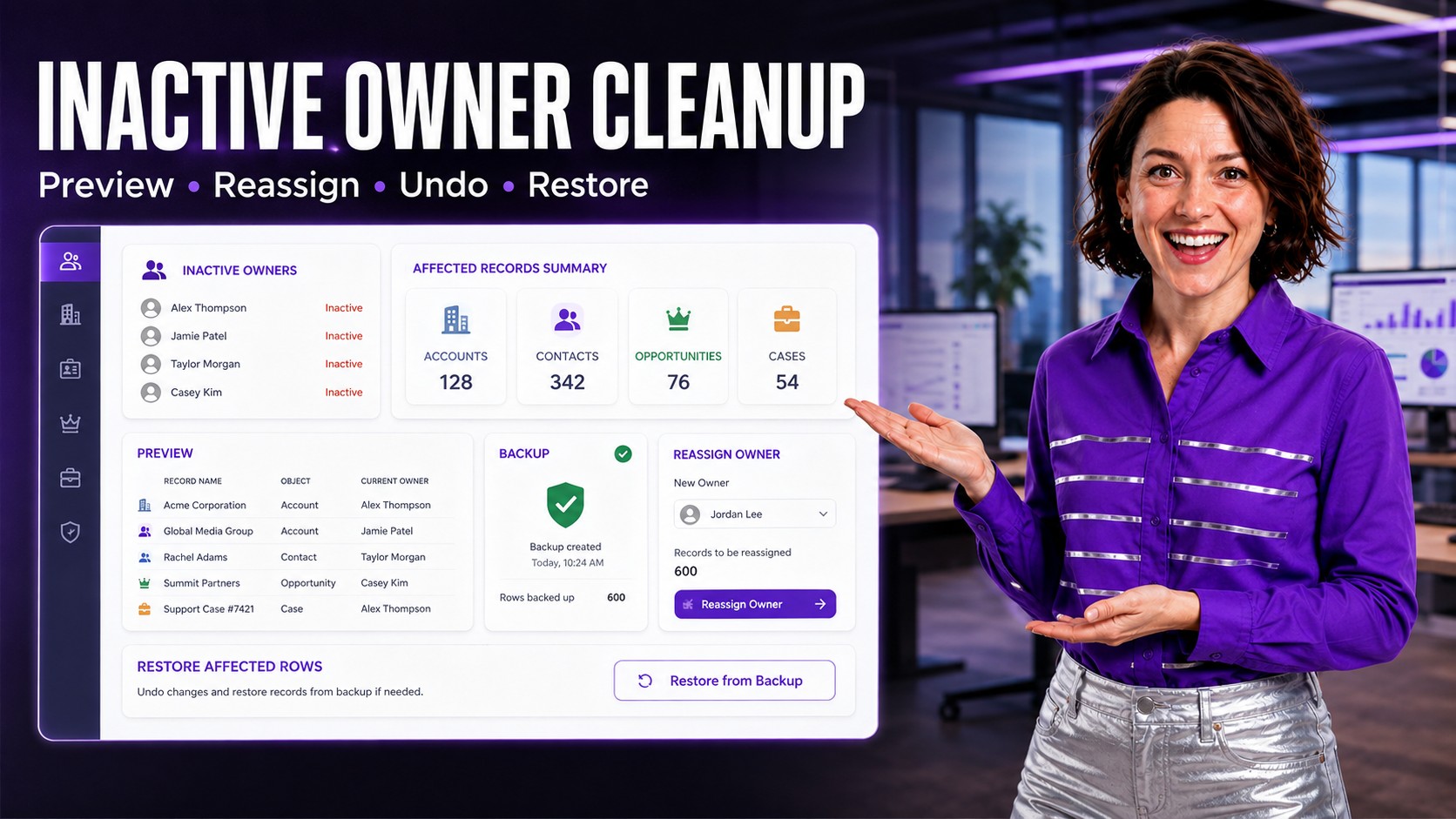
The Admin Problem: Inactive Users Still Own Active Data
Salesforce allows user records to become inactive, but the data those users owned does not automatically become clean. An inactive owner can still appear in list views, dashboards, assignment reports, pipeline reviews, territory planning, open support cases, approval history, and integration exports.
That creates operational confusion. A sales manager may see pipeline assigned to someone who no longer works there. Service leaders may find open Cases owned by inactive users. Marketing operations may sync Contacts owned by old reps. Finance or RevOps may discover that territory rollups no longer match the current team.
Why It Happens in Salesforce
Inactive-owner cleanup usually appears after normal business events: employee departures, territory realignment, acquisitions, department changes, contractor offboarding, partner handoffs, or org consolidation. The user can be deactivated for login control while old records still need business ownership decisions.
The hard part is deciding what should move and what should stay. Closed-won Opportunities may need historical owner attribution. Open Opportunities may need a new sales owner. Closed Cases may be fine for history, while open Cases need immediate reassignment. Custom objects may have workflow-specific ownership rules that are not obvious from a standard user deactivation checklist.
What Can Go Wrong During Manual Reassignment
- Pipeline reports shift unexpectedly: open Opportunities move to new owners, but dashboards are not validated after the change.
- Service work stalls: Cases remain assigned to inactive users because the cleanup only covered Accounts or Contacts.
- Historical attribution gets overwritten: closed records are changed when only active work should have moved.
- Automation fires at the wrong time: owner changes can trigger flows, assignment notifications, integrations, or territory logic.
- Rollback is unclear: after a spreadsheet import, admins may not know exactly which rows changed and what previous owner values were used.
How to Plan a Safer Inactive Owner Cleanup
Start by defining ownership rules before touching data. Do not treat all objects the same. The correct owner for an Account may be different from the correct owner for its open Opportunities, Cases, Tasks, or custom renewal records.
| Object | Typical Admin Question | Safer Action |
|---|---|---|
| Accounts | Should the account move to the replacement rep or the territory owner? | Filter by current inactive owner, territory, segment, and active customer status before reassignment. |
| Contacts | Should contacts follow the Account owner or remain with the last relationship owner? | Preview related Accounts and exclude contacts tied to historical-only records. |
| Opportunities | Should closed Opportunities stay historical while open Opportunities move? | Separate open pipeline from closed records and validate forecast dashboards after the update. |
| Cases | Which open Cases require immediate reassignment? | Filter by status, queue, priority, SLA, and owner before moving service work. |
| Custom Objects | Which workflows depend on owner changes? | Check flows, approval processes, integrations, and reporting before updating high-volume custom records. |
How ZaapIT Helps Admins Reassign Records Safely
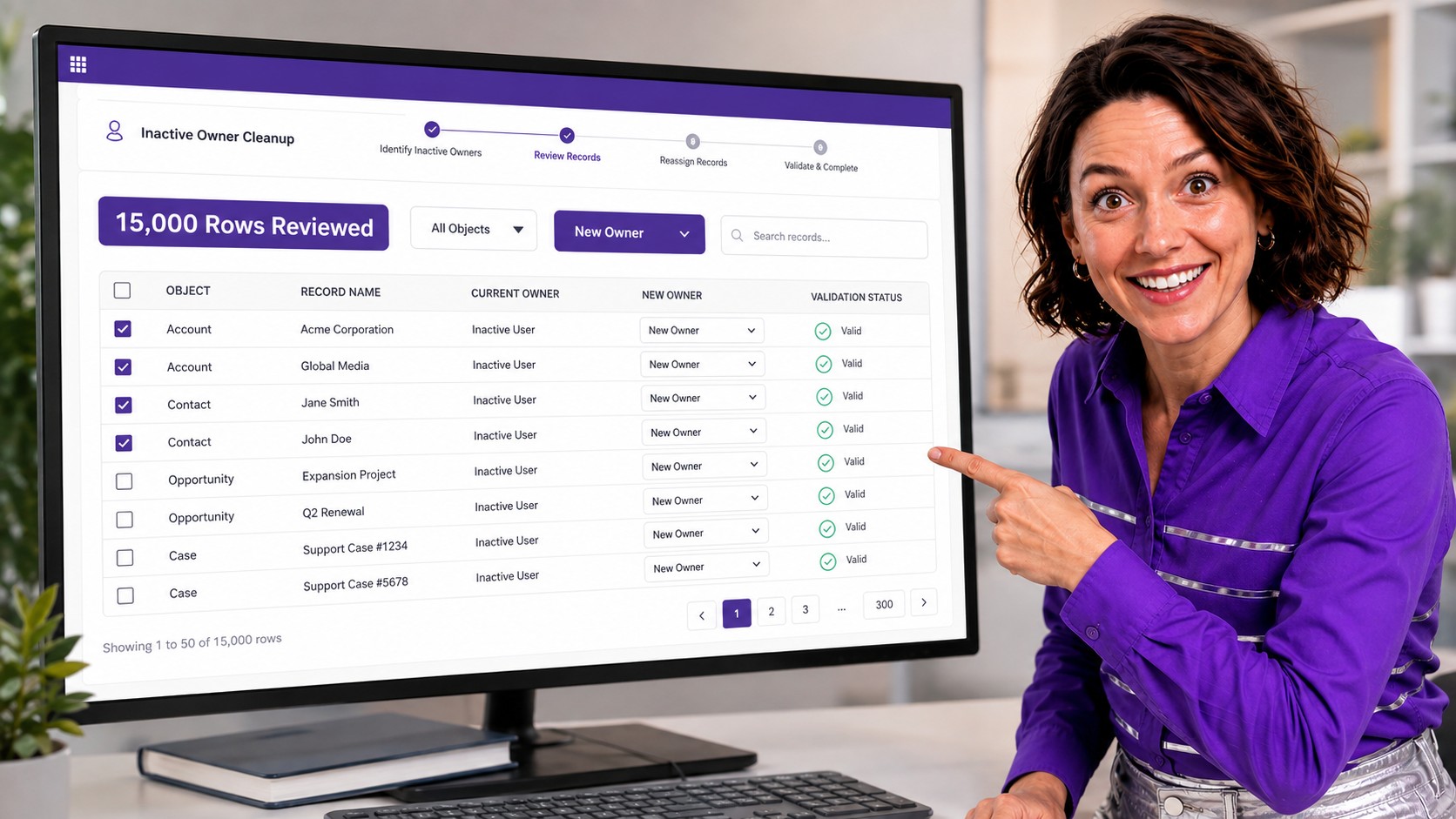
ZaapIT Mass Update lets admins work from a visual Salesforce-native grid, apply precise filters, inspect the affected rows, and update owner fields across large datasets. For example, an admin can review 15,000 records owned by inactive users, split the work by object or territory, then reassign only the rows that match the approved rule.
- Find the real scope: filter by inactive owner, object, status, territory, created date, last activity, customer segment, or related values.
- Preview before update: review current owner, new owner, object type, status, and exception rows before committing.
- Update across pages: reassign more than the visible page of Salesforce results when the approved filter spans many rows.
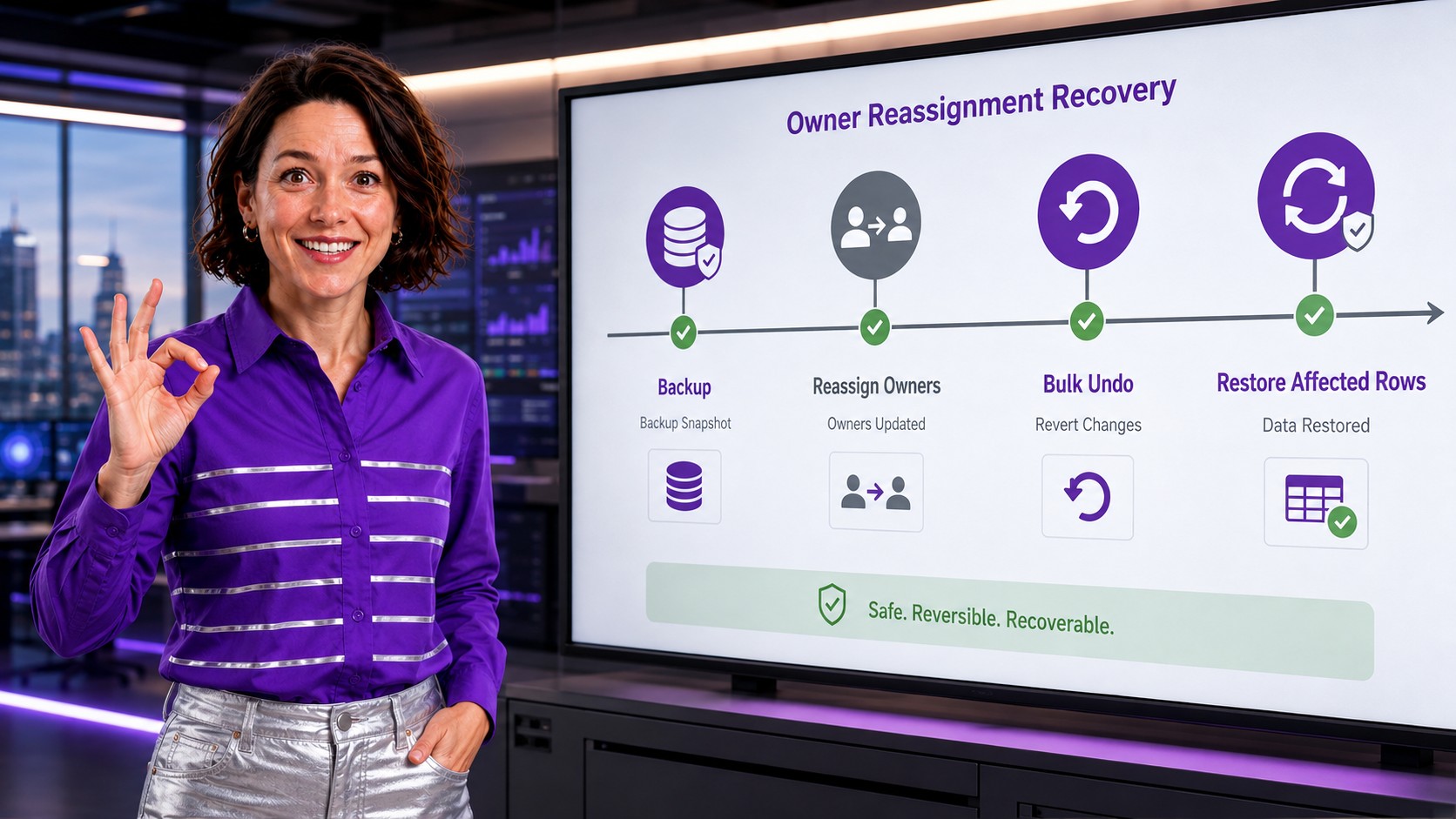
- Recover affected rows: use backup, bulk undo, and restore if the wrong owner was selected or a subset needs correction.
The Unique Safe Selling Point: A Real Recovery Path
The safest part of the ZaapIT workflow is not just that admins can update many records. It is that the affected rows can be backed up first, then corrected with bulk undo or restored when needed. That matters because ownership cleanup is operationally sensitive: changing the owner can change who sees the record, who follows up, which reports shift, and which automation runs.
A spreadsheet update usually leaves admins reconstructing what happened after the fact. ZaapIT gives the cleanup a safer pattern: filter, preview, backup, update, validate, then bulk undo or restore affected rows if correction is needed.
Admin Checklist Before Reassigning Records From Inactive Users
- List all inactive users that still own records.
- Separate objects by business rule: Accounts, Contacts, Leads, Opportunities, Cases, Tasks, and custom objects.
- Exclude historical records that should preserve the original owner.
- Confirm replacement owners are active users with the right role, profile, permission set, queue membership, or territory access.
- Check Flows, Process Builder remnants, assignment rules, escalation rules, notifications, and integrations before production updates.
- Back up the affected rows before updating.
- Validate Salesforce reports, dashboards, ownership rollups, queues, and sample records after the update.
How This Improves Salesforce Data Hygiene
Inactive-owner cleanup is a data hygiene task because ownership is part of data quality. Clean owner fields make reports easier to trust, help managers understand workload, reduce missed follow-up, and keep CRM responsibility aligned with the current organization.
For Salesforce admins, the goal is not simply to replace one owner value with another. The goal is to preserve history where it matters, move active work where it belongs, and prove that the cleanup did not damage reports or downstream process.
Make Salesforce Owner Cleanup Safer
Use ZaapIT to filter inactive-owner records, preview the affected rows, reassign ownership, back up the update, and use bulk undo or restore when correction is needed.
Frequently Asked Questions
Can inactive Salesforce users still own records?
Yes. Deactivating a user controls login access, but records can still show that inactive user as the owner until an admin transfers or updates ownership according to the business rule.
Which records should admins check after a user leaves?
Admins should check Accounts, Contacts, Leads, Opportunities, Cases, Tasks, Events, queues, and important custom objects. Open work usually needs faster reassignment than historical closed records.
Why should owner reassignment be backed up first?
Owner reassignment can affect reports, sharing, assignments, automation, and follow-up. A backup lets admins recover affected rows if the wrong filter, owner, or exception rule was used.
How does bulk undo help with inactive-owner cleanup?
Bulk undo helps reverse affected rows when an update needs correction. This gives admins a safer recovery path than rebuilding ownership values manually from exported spreadsheets.
Should closed Opportunities keep the original inactive owner?
Often yes, but it depends on reporting policy. Many teams preserve historical attribution on closed records while reassigning open pipeline and active customer work to current owners.