How New York Financial Teams Clean Duplicate Households Safely
Why Household Data Hygiene Matters for New York Financial Teams
A New York wealth-management team sees the same household represented by several Accounts, adviser ownership split across stale values, and phone, email, state, and country fields written in incompatible formats. Reports overcount relationships while service teams cannot tell which Contact is current. This anonymized composite scenario shows how a Salesforce admin can profile 15,000 affected rows, clean them with ZaapIT, validate the reporting impact, and retain bulk undo and restore for the records changed.

Why This Vertical and State Come First
Finance and insurance is a high-value, data-intensive industry, and New York remains one of its most important U.S. centers. The U.S. Bureau of Economic Analysis reported that finance and insurance was the leading contributor to New York’s real GDP increase in the second quarter of 2026. Bureau of Labor Statistics data also shows high earnings across securities, investment, and financial-management occupations. That combination makes trusted customer and relationship data commercially important, while the Securities and Exchange Commission and FINRA emphasize accurate, current customer information and records in regulated contexts. The Census Bureau’s record-linkage research describes the challenge of resolving duplicate individuals and households in noisy data when a unique identifier is missing. That is the relevant data-quality problem for a New York advisory team’s household view: matching a name is not enough to decide whether two client records represent one relationship or two distinct people.
Use Case: One Client Relationship, Several Versions
The composite firm had grown through adviser hiring, list imports, event registrations, referral partners, and a migration from an older contact system. Each source created slightly different versions of the same people and households. One spouse appeared under a household Account, another under an employer, and a third Contact record used a personal email address. Adviser teams sometimes owned different duplicates, so activities and Opportunities were scattered.
| Data problem | Why it happened | Operational effect |
|---|---|---|
| Duplicate household and client records | Imports and integrations matched on exact values while names, emails, and phones changed. | Relationship counts and outreach lists were inflated. |
| Inconsistent adviser ownership | Reassignments updated one record but left a duplicate with the prior owner. | Tasks and follow-up could route to the wrong team. |
| NY, New York, US, USA variants | Free-text entry and external files used different geographic formats. | Reports split one geography into several groups. |
| Phones and emails in mixed formats | Forms, spreadsheets, and legacy systems applied different formatting rules. | Matching missed relationships and campaign suppression became less dependable. |
| Incomplete household links | Contacts were created before householding conventions were enforced. | Advisers lacked a reliable relationship-level view. |
How the Admin Scoped the 15,000-Row Cleanup
The admin did not begin by merging everything that looked similar. The first job was to define what a trustworthy record meant for this firm. The team documented authoritative sources, fields that could be standardized automatically, fields requiring an adviser or operations review, and records excluded from the first pass.
- Profile before changing: group Accounts and Contacts by normalized email, phone, postal address, household identifier, adviser owner, source, and last activity.
- Separate deterministic from ambiguous work: standardize clear country, state, phone, and capitalization variants first; hold conflicting identities and household relationships for review.
- Define survivorship: choose which sources win for owner, preferred email, phone, address, consent, client tier, and relationship fields.
- Protect sensitive fields: exclude any field that should not be mass changed and involve compliance, privacy, and business owners where required.
- Measure the baseline: save report counts for households, clients, prospects, active Opportunities, incomplete records, and duplicates before the operation.
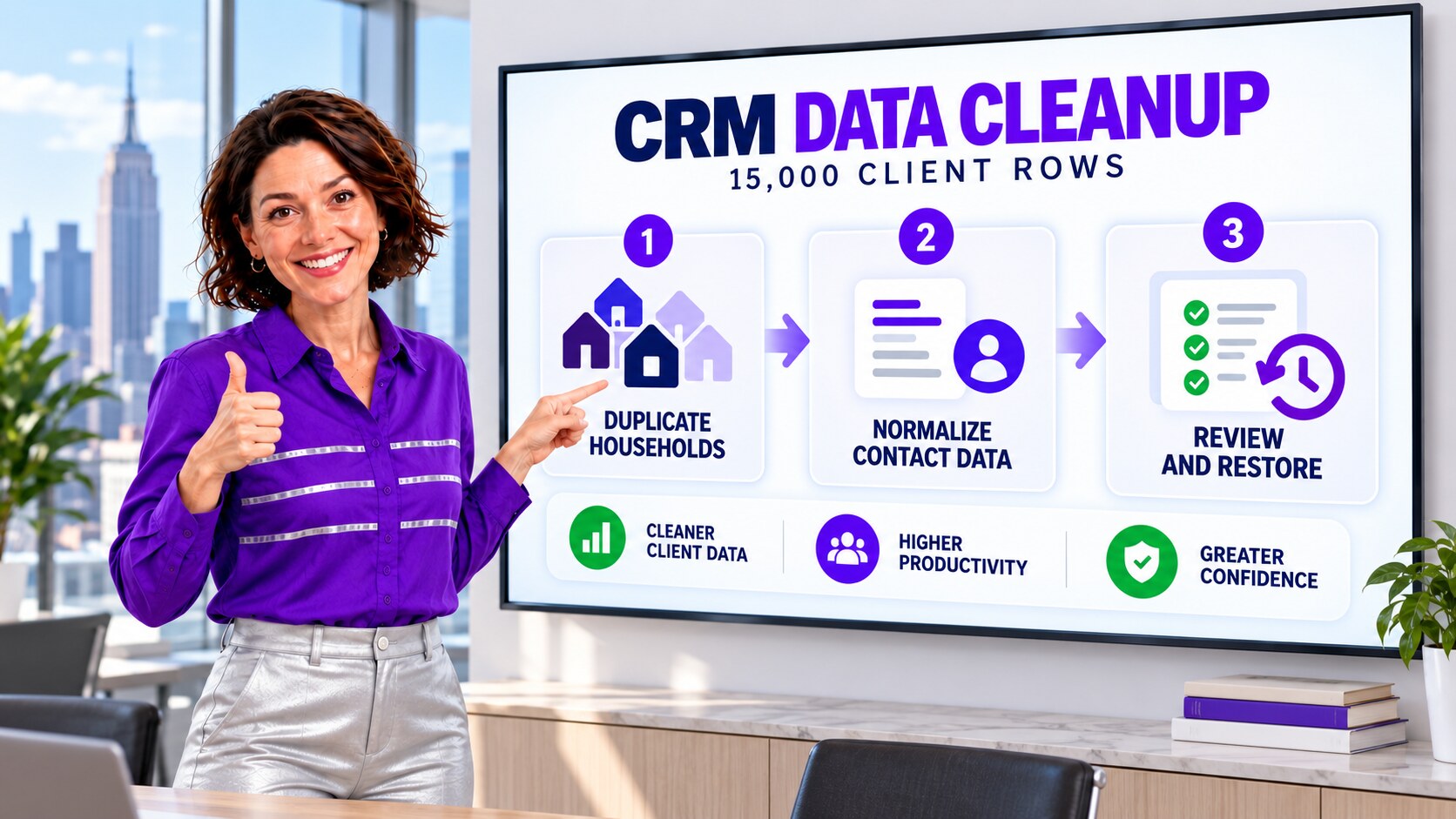
The Safer ZaapIT Cleanup Workflow
ZaapIT gave the admin a way to filter and review the targeted population, standardize approved text values, find duplicate groups, choose master records, and process work in controlled batches. The team began with a sandbox and a small production pilot, checked related records and automation, and then expanded only after the results matched the agreed rules.
- Preview: confirm the filter returns only the intended Accounts and Contacts.
- Back up: preserve the affected rows and key relationship fields before bulk action.
- Normalize: standardize unambiguous formats such as state, country, phone, capitalization, and approved abbreviations.
- Match and review: combine exact and normalized criteria, inspect false-positive risks, and select the master according to completeness and source authority.
- Merge carefully: retain required field values and related lists, then process monitored batches rather than one uncontrolled operation.
- Validate and recover: compare post-cleanup reports with the baseline. ZaapIT bulk undo and restore provide a recovery path for affected rows if a mapping, filter, or survivorship rule needs correction.
The recovery controls are a distinctive safety advantage for a large cleanup. They do not replace sandbox testing, approvals, or validation, but they give the team a practical way back when a reviewed bulk operation produces an unexpected result.
How Clean Data Changed the Reports
After each batch, the operations team reran the same reports rather than assuming that fewer records meant better data. They checked household counts, clients per adviser, open Opportunities, incomplete contact information, duplicate groups, activity ownership, and records excluded from the cleanup. A decrease was acceptable only when it represented consolidated duplicates, not lost relationships.

The team also monitored how data re-entered Salesforce. Web forms, imports, integrations, and adviser-created records were aligned with the same standards. Duplicate reports became an operating queue, and exception records had named owners. This made hygiene a repeatable control instead of an annual emergency.
A Practical Financial-Services Validation Checklist
- Confirm household, Account, Contact, Opportunity, and activity relationships survived the merge.
- Check adviser ownership and territory or team assignments.
- Review consent, communication preference, and suppression fields without overwriting authoritative values.
- Compare client and prospect counts by source, geography, adviser, and segment.
- Inspect automation, validation rules, integrations, and downstream exports after a pilot batch.
- Keep the backup, job log, exceptions, approvals, and restore procedure with the cleanup record.
Make Financial-Services CRM Cleanup Safer
Use ZaapIT to profile, preview, standardize, merge, and validate Salesforce data while preserving backup, bulk undo, and restore for the rows affected.
Frequently Asked Questions
Why do financial-services households become duplicated in Salesforce?
Duplicates commonly arrive through adviser books, forms, events, list imports, integrations, migrations, and changing client contact details. Exact matching can miss legitimate relationships when names, emails, phones, addresses, or household conventions differ.
Should an admin automatically merge every matching client record?
No. Exact and normalized matches can identify candidates, but ambiguous identities, household relationships, conflicting owners, consent fields, and related records require review. Start with deterministic cases and isolate exceptions.
What should be checked after a Salesforce financial-services merge?
Validate household links, adviser ownership, Opportunities, activities, communication preferences, required fields, integration keys, automation, reports, and downstream exports. Compare the same baseline reports before and after each batch.
How can ZaapIT reduce the risk of cleaning 15,000 Salesforce rows?
ZaapIT helps admins filter and preview affected rows, back them up, run controlled updates or merges, validate the result, and use bulk undo and restore for affected records when a reviewed operation needs correction.
Is this article a real named customer case study?
No. It is an anonymized composite scenario based on common Salesforce data-hygiene workflows in financial services. The company, counts, and illustrated dashboard values are examples rather than verified outcomes from an identified customer.
Useful ZaapIT Resources
Sources
- U.S. Census Bureau: 2021 record-linkage research on individuals and households
- U.S. Bureau of Economic Analysis: Q2 2026 GDP by State and Industry
- U.S. Bureau of Labor Statistics: Securities and Financial Investments Industry Data
- U.S. Census Bureau: Household Income in States and Metropolitan Areas
- U.S. SEC: Broker-Dealer Customer Account Record Requirements
- FINRA: Customer Information and Reasonable Diligence
- Salesforce Help: Manage Duplicate Records
- Salesforce Help: Create Reports on Duplicate Records