How Los Angeles Aerospace Teams Clean Supplier Data Safely
Why Supplier Identity Matters for Los Angeles Aerospace Teams
A Los Angeles County aerospace manufacturer finds the same component supplier in several Salesforce Accounts after procurement imports, engineering requests, and facility-level handoffs. Reports overcount suppliers, while a distinct plant’s approved status risks being copied onto the wrong record. This anonymized composite scenario follows an illustrative 15,000-row supplier cleanup with ZaapIT: verify legal identity, preserve separate facilities, preview and back up changes, then validate each batch with bulk undo and restore available for affected rows.
Why Los Angeles Aerospace Supplier Data Matters
Los Angeles County is a substantial aerospace market, not just a familiar backdrop. The Los Angeles County Economic Development Corporation reported 58,731 employees in its aerospace vehicles and defense cluster in 2024, with an average wage of $141,110. California’s regional Jobs First report describes the county’s aerospace network as reaching a 20-year employment high. UCLA Anderson’s 2026 forecast notes that aerospace is benefiting from production, defense, and space demand. A manufacturer operating in that ecosystem needs a reliable view of suppliers and facilities to plan sales, sourcing, and follow-up. The Census Bureau’s business-record linkage review notes that variant business names and addresses make entity matching difficult. For a Los Angeles aerospace supplier list, that means a shortened supplier name can be a duplicate, while two facilities under one parent may still need separate CRM records and approval histories.
Use Case: One Supplier, Several Accounts, Separate Facilities
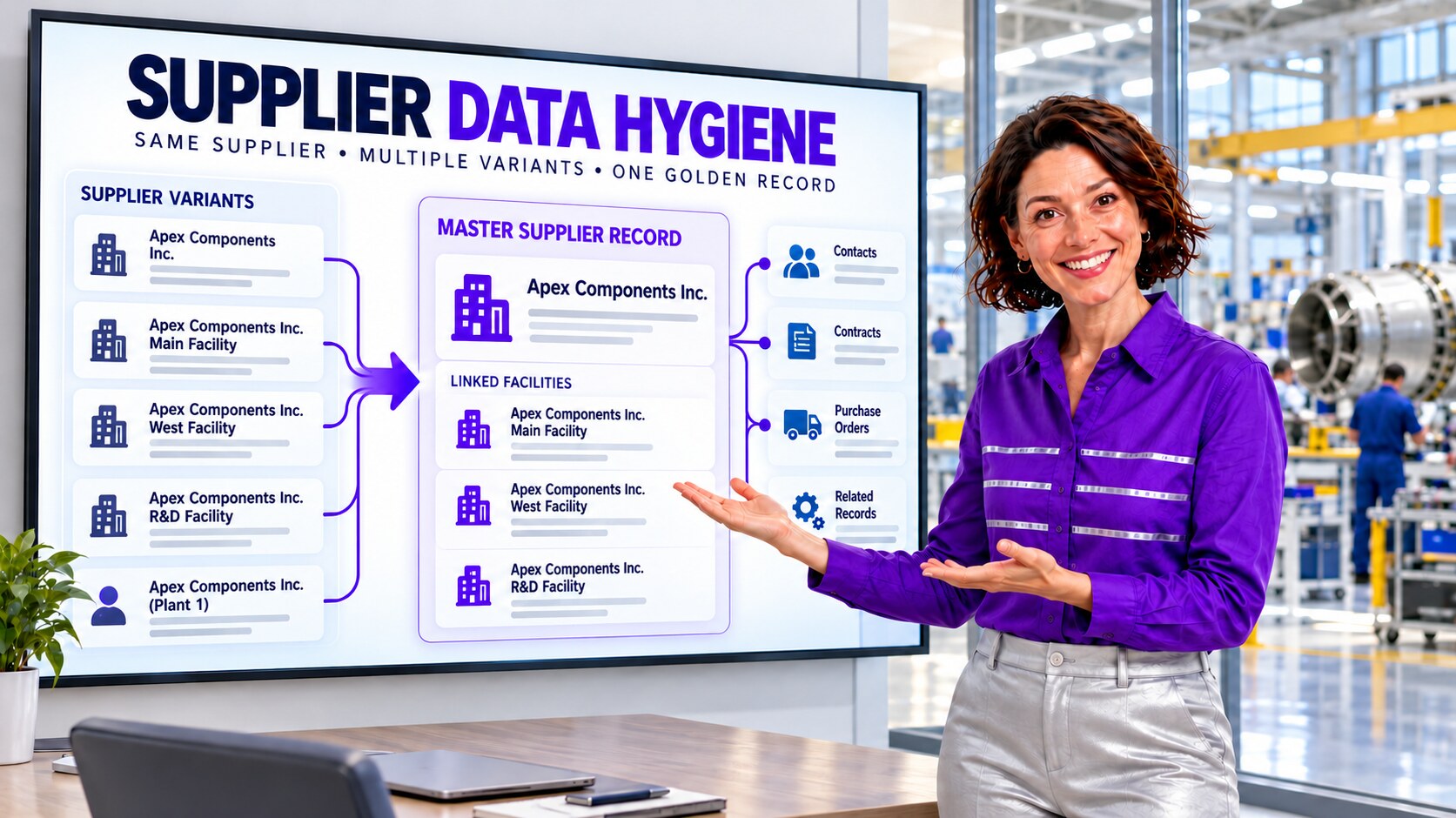
The composite team imported one supplier under its legal name, a shortened name, and a name appended with “Plant 1.” Another feed attached a West facility to a separate Account. Sales activities and purchase-related records were split among these entries, so supplier coverage reports showed too many vendors. Yet collapsing every entry by shared company name would be dangerous: the facilities could carry different contacts, addresses, capabilities, quality reviews, and approval decisions.
The admin defined the grain before editing: one verified legal supplier Account with separately linked facility records where the business model requires them. Distinct legal entities stayed distinct even when they shared a brand. Approved-supplier or qualification fields were never inferred from a name match; they were checked against the company’s controlled source and reviewed by the responsible team.
| Candidate signal | Admin check | Why it matters |
|---|---|---|
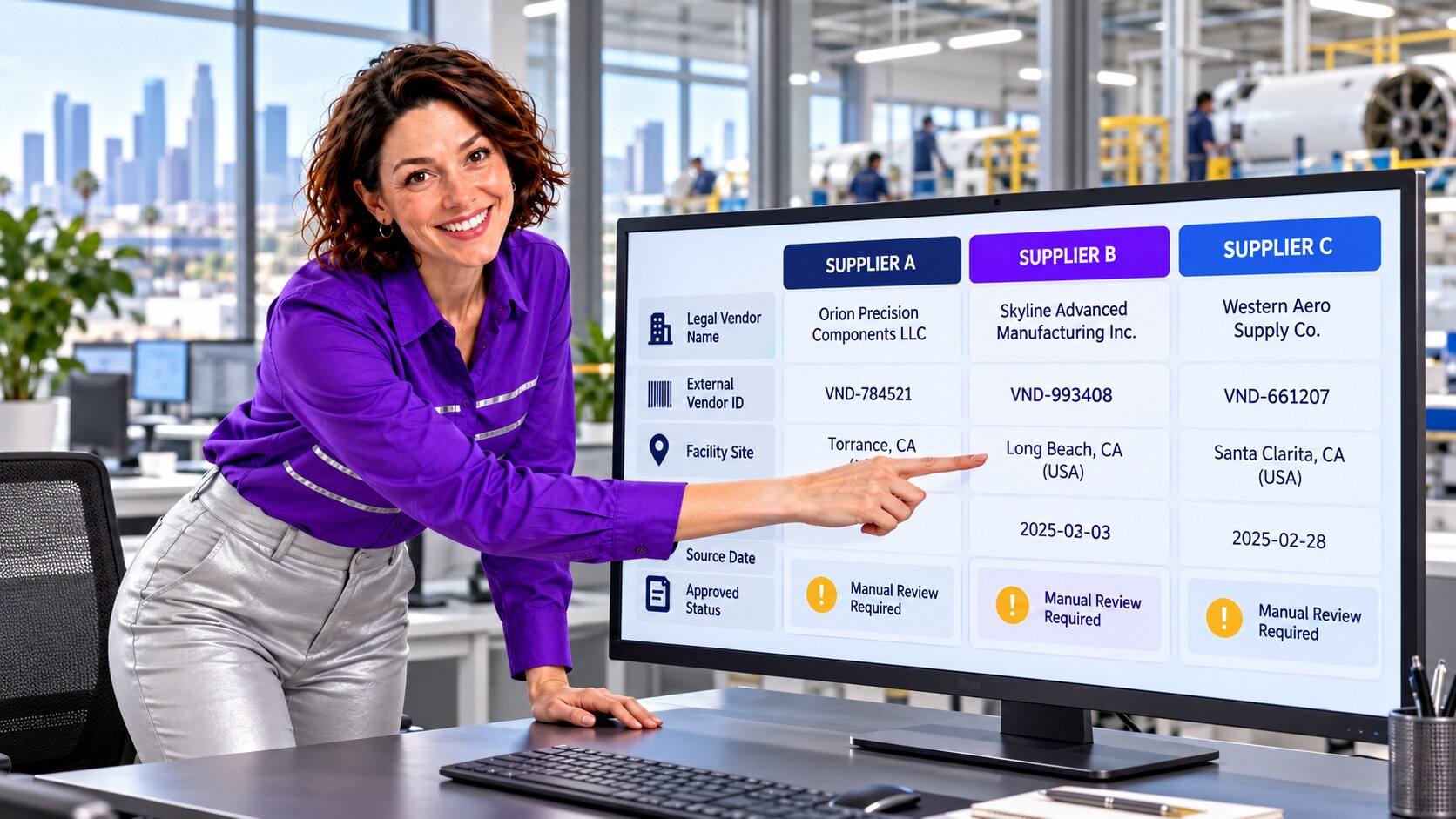
| Legal name and external vendor ID | Confirm the source-system identity and effective date. | Similar names can hide distinct legal suppliers; name changes can split one supplier. |
| Facility name and address | Confirm whether it is a site of the same supplier or a separate entity. | Different plants should not lose location-specific contacts or approval history. |
| Owner and related work | Review Contacts, Opportunities, tasks, files, and custom supplier records. | A merge can change how teams find open business and follow-up work. |
| Approved status | Compare with the controlled qualification record and reviewer decision. | A stale or copied status can mislead sourcing and account reporting. |
Where Salesforce Native Rules Need Extra Care
Salesforce documents that the standard Account matching rule uses Account Name together with location or other fields; for accurate matching, the new or edited record needs an Account Name and either City or ZIP. Salesforce also describes cases where the standard duplicate rule does not fire if those location values are missing. That matters when a supplier intake form has only a vendor name and internal ID.
Facility or qualification records may live in custom objects, not Account. Salesforce’s Data Import Wizard documents matching custom-object imports by name, Salesforce ID, or external ID, with case-sensitive matching by name. The admin therefore checked the actual object model, import configuration, and matching rules instead of assuming an Account duplicate alert covers the full supplier graph. Native matching produced candidates; it did not decide the master record, facility linkage, or approved status.
A Safer 15,000-Row ZaapIT Cleanup Runbook
- Profile the population: filter the illustrative 15,000 supplier Account, facility, Contact, and related rows by vendor ID, name variant, site, source, owner, status, and last update. Save baseline counts and reports.
- Define identity and exceptions: distinguish a legal supplier, a facility, a subsidiary, and a renamed entity. Assign a reviewer for ambiguous IDs, qualification fields, and open work.
- Preview and back up: inspect candidate groups and target updates in ZaapIT; preserve affected values and relationship references before changing production data.
- Standardize only approved fields: normalize clear name, phone, state, and site formats while protecting vendor IDs, qualification decisions, and controlled records.
- Merge or relink deliberately: consolidate only confirmed duplicate Accounts. Keep legitimate facilities as linked records and route separate legal entities to a hierarchy rather than a merge.
- Run controlled batches: monitor Salesforce automation, integrations, ownership, Contacts, tasks, and custom supplier relationships after each batch.
- Validate and retain recovery: reconcile reports and sampled records against the baseline. Use ZaapIT bulk undo or restore for affected rows if a mapping or filter is wrong; test merge-specific recovery separately.
Backup, bulk undo, and restore are a meaningful safety advantage for a large data-hygiene job. They support, rather than replace, sandbox testing, approval by the supplier-data owner, and independent validation of every controlled field.

What the Team Validated After Each Batch
The admin compared distinct legal-supplier counts, facility counts, open Opportunities, Contacts, tasks, and supplier-status exceptions before and after the cleanup. A reviewer checked that one vendor did not become several, while separate plants did not disappear. The team retained a crosswalk from retired Salesforce IDs to surviving IDs, then checked procurement and engineering integrations for references to the old records. New import templates began requiring the authoritative vendor ID and a separate site identifier.
- Match legal suppliers using an approved external ID and dated source.
- Keep facility-level contacts, addresses, and approvals separate where needed.
- Do not infer qualification or approved status from a fuzzy match.
- Record reviewer decisions, exception groups, batch logs, backups, and restore tests.
Make Aerospace Supplier Cleanup Safer
Use ZaapIT to preview, standardize, and deduplicate confirmed Salesforce supplier records in controlled batches while preserving backup, bulk undo, and restore.
Frequently Asked Questions
Should two supplier Accounts merge because they share a company name?
No. Confirm the legal supplier and external vendor ID, then inspect facility, subsidiary, source-date, and related-record differences. A shared brand is not proof of one legal entity.
Can approved-supplier status be copied to every matching facility?
Not without a controlled-source and reviewer check. A qualification decision may be site-specific or time-limited, so the admin should preserve the authoritative status and avoid inferring approval from similar names.
Why might Salesforce miss a duplicate supplier Account?
Salesforce’s standard Account matching rule relies on specific name and location combinations. Missing City or ZIP values, different legal names, and custom facility objects may require reviewed custom matching and external IDs.
How can ZaapIT reduce risk in a 15,000-row supplier cleanup?
The admin can preview the selected population, back up affected rows, process approved changes in controlled batches, validate reports and relationships, and use bulk undo or restore where applicable. Merge-specific recovery should be tested separately.
Is this an identified Los Angeles aerospace customer case study?
No. It is an anonymized composite scenario. The supplier names, record count, interface values, and outcomes are illustrative rather than measured results from a named customer.
Useful ZaapIT Resources
Sources
- U.S. Census Bureau: overview of business record linkage and name/address variants
- LAEDC: Los Angeles County industry-cluster report, 2024 data
- California Jobs First: Los Angeles County regional report
- UCLA Anderson Forecast: 2026 aerospace outlook
- Salesforce Help: Standard Account Matching Rule
- Salesforce Help: Standard Duplicate Rule Does Not Fire
- Salesforce Help: Matching Imports for Custom Objects